How to Download from VexMovies?

In the age of online streaming, many users seek convenient ways to download movies for offline viewing. VexMovies has emerged as a popular platform for streaming a wide range of films, from the latest blockbusters to classic favorites. While VexMovies provides an easy streaming experience, it doesn’t officially allow users to download videos directly. This limitation has led many users to explore alternative ways to save movies for offline enjoyment. In this guide, we’ll explore what VexMovies is, alternatives to it, and multiple methods to download content from VexMovies.
1. What is VexMovies?
VexMovies is an online platform that hosts a wide variety of movies, offering users the ability to stream films directly in their web browser. Its appeal lies in its extensive library, easy navigation, and fast streaming capabilities. Users can browse through categories such as action, drama, comedy, horror, and more, often without needing to create an account.
Despite its advantages, VexMovies doesn’t provide a native download option. This limitation has led users to look for alternatives that offer both streaming and offline viewing. Some notable VexMovies alternatives include:
- 123Movies – One of the oldest streaming platforms with a vast library and user-friendly interface.
- FMovies – Known for its fast streaming and variety of genres.
- SolarMovie – Offers high-quality streams with minimal ads.
- GoMovies – Provides multiple streaming servers for uninterrupted playback.
- YTS – Focuses on downloadable movies, often in compressed formats suitable for offline viewing.
While these alternatives are widely used, downloading movies from any of these platforms usually requires third-party solutions since direct downloads are generally restricted.
2. How to Download from VexMovies?
There are several ways to download movies from VexMovies, each catering to different user needs. Here, we explore the most effective methods:
2.1 Using Screen Recorder Extensions
Screen recorder extensions are a practical choice for users who want to capture streaming content directly from their browser. Screenity, a popular screen recorder extension for Chrome, allows users to record the browser window or specific tabs where the movie is playing.
Steps to Use Screenity:
- Get Screenity from the Chrome Web Store and install it.
- Open VexMovies and navigate to the movie you want to download.
- Click on the Screenity extension icon and select “Record Tab” to capture only the movie tab.
- Start the recording before playing the movie to ensure the entire video is captured.
- Once finished, stop the recording and save the file in your preferred format (MP4 is recommended for compatibility).
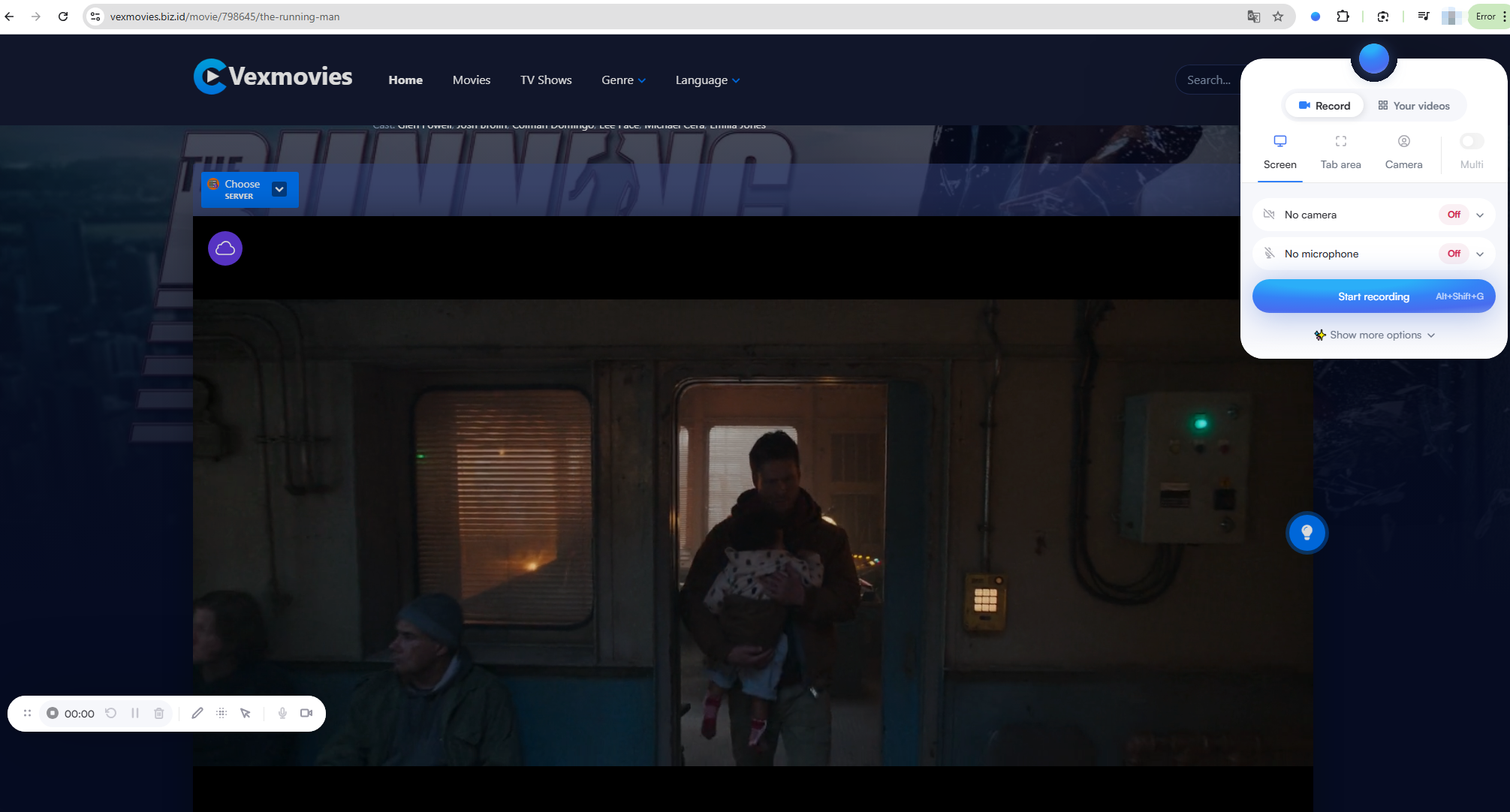
This method ensures you can capture high-quality video without relying on direct download links, but it requires real-time recording, which means the download time is equivalent to the movie’s runtime.
2.2 Using Screen Recorder Software
For users seeking more control over video quality and recording options, dedicated screen recording software like Swyshare Recordit is an excellent solution. Unlike browser extensions, these programs offer advanced features such as customizable resolution, schedule recording, and direct export to various formats.
Steps to Use Swyshare Recordit:
- Download and install Swyshare Recordit on your PC or Mac.
- Open VexMovies and select the movie you wish to capture.
- Launch Recordit and configure the recording area to match the video player on the screen.
- Adjust the settings for resolution, output type, and audio quality to ensure a high-quality recording.
- Start recording and play the movie in VexMovies.
- Stop the recording when the movie ends and save it to your desired location.
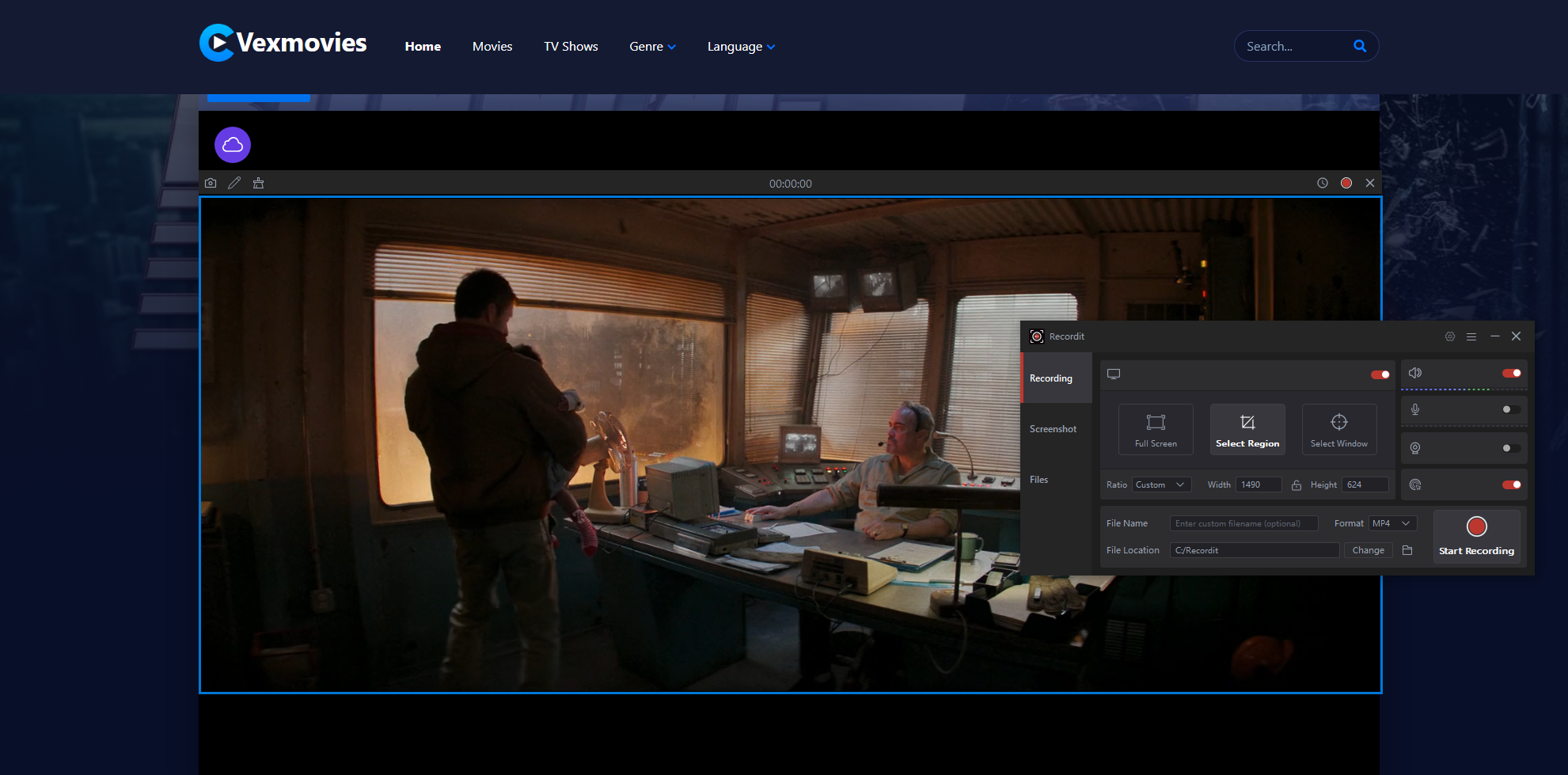
Using dedicated software generally results in higher quality recordings compared to extensions, and it provides flexibility for users who want to record screen, audio and webcam simultaneously.
2.3 Using Video Downloader Extensions
For users who prefer a more direct approach, video downloader browser extensions such as Video Downloader Professional can detect and download streaming videos directly from web pages. These extensions are designed to capture the video file from the streaming server, allowing users to download it without recording in real-time.
Steps to Use Video Downloader Professional:
- Get Video Downloader Professional from the Chrome Web Store and install it.
- Navigate to VexMovies and open the movie you want to download.
- Click the extension icon, which will display available video streams on the page.
- Select the preferred video quality and click “Download” to save the file to your device.
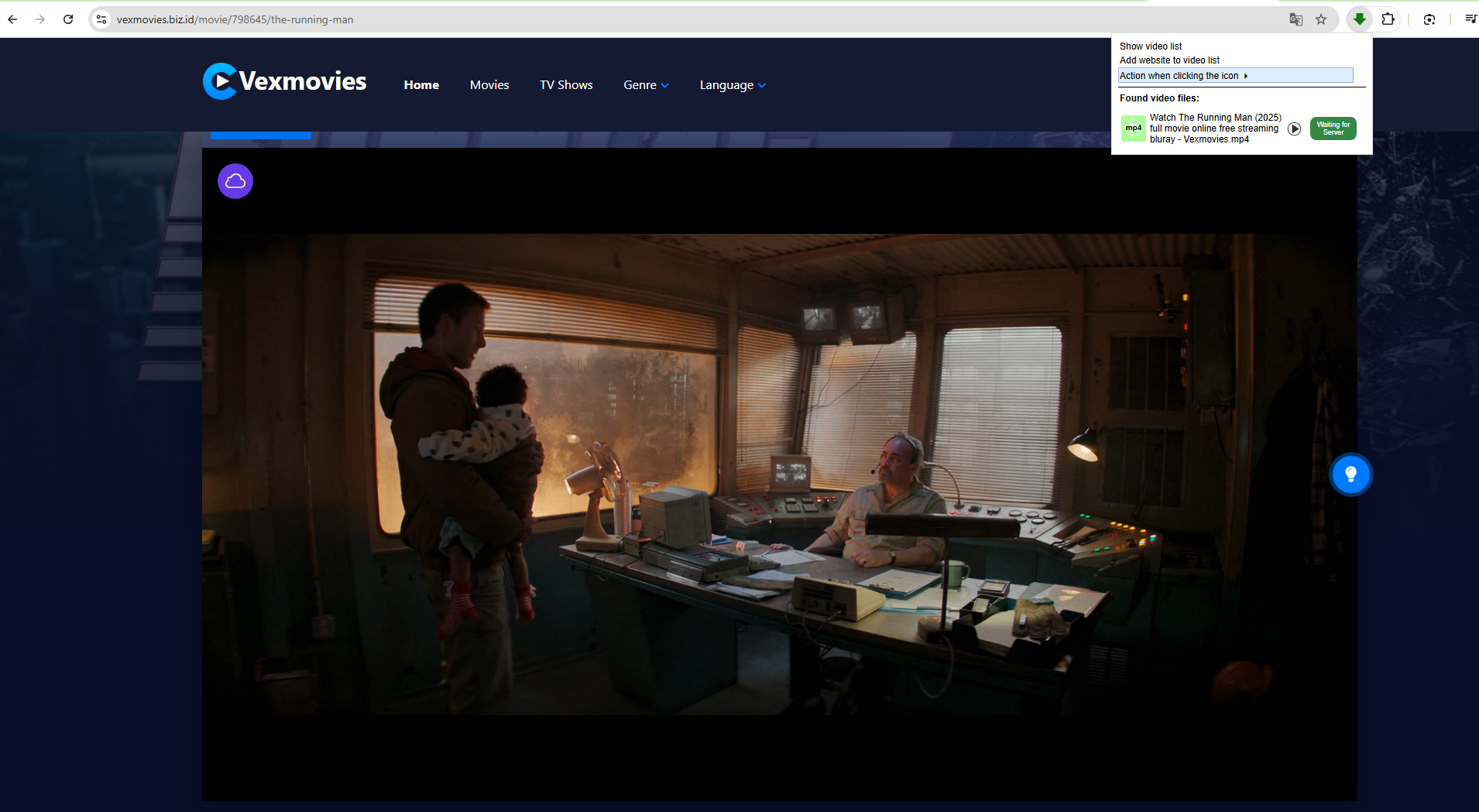
While this method is faster than screen recording, it may not always work for VexMovies due to server restrictions or encryption methods. Users may occasionally need to try different extensions or fallback methods.
3. Advanced Download VexMovies Free Movies with Meget
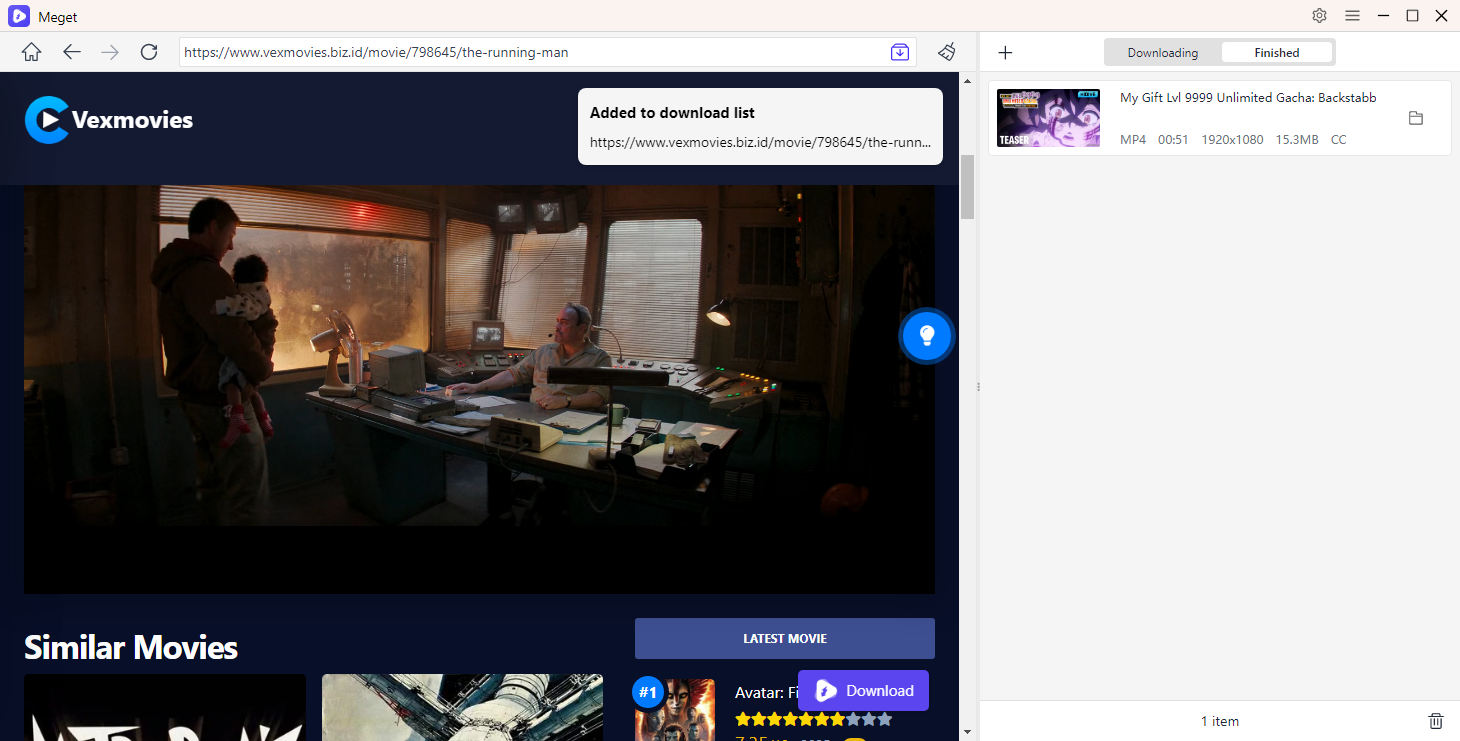
For a more robust and reliable solution, Meget stands out as the best tool for downloading VexMovies content. Meget is a powerful video downloader software that supports multiple streaming websites, allowing users to download movies in bulk, choose video quality, and even convert formats for different devices.
Steps to Use Meget:
- Download and install Meget on your computer.
- Open the software and paste the VexMovies movie URL into the download bar.
- Select the video resolution, output format, and download path directly in Meget.
- Play the movie on the VexMovies page and click “Download” to start saving the movie directly to your device.
4. Conclusion
Downloading movies from VexMovies can be achieved through several methods, ranging from simple screen recording extensions like Screenity to dedicated recording software like Swyshare Recordit, and browser-based solutions such as Video Downloader Professional. Each method has its advantages and limitations: screen recording ensures compatibility but requires real-time capture, while video downloader extensions offer convenience but may not always detect videos on VexMovies.
For users seeking a fast, reliable, and high-quality solution, Meget is the recommended choice. Its ability to handle multiple downloads, select video quality, and convert formats makes it the ultimate tool for saving VexMovies movies for offline enjoyment. Whether you want a single movie or an entire series, Meget streamlines the process, ensuring you never miss out on your favorite films.