A Comprehensive Guide on How to Download OnlyFans Videos

OnlyFans has emerged as a popular platform for content creators to share exclusive videos, photos, and other content with their subscribers. Whether it’s for fitness tutorials, entertainment, or more adult-oriented content, users often wish to download videos from OnlyFans for offline viewing. However, OnlyFans doesn’t provide a direct download option, and attempting to download videos can be tricky due to copyright protections and platform restrictions. This guide will walk you through various methods to download OnlyFans videos, from simple solutions to more advanced techniques.
1. Download OnlyFans Videos Using Chrome Extensions
Chrome extensions can simplify the process of downloading videos from OnlyFans. Some popular extensions such as “Video Downloader Plus” and “Streamfork” that can help you to download OnlyFans videos directly from your Chrome browser.
Here’s how to use the Video Downloader Plus extension to download videos from OnlyFans effectively:
Step 1: Visit the Chrome Web Store, search for “Video Downloader Plus”, then click to install it on your browser.
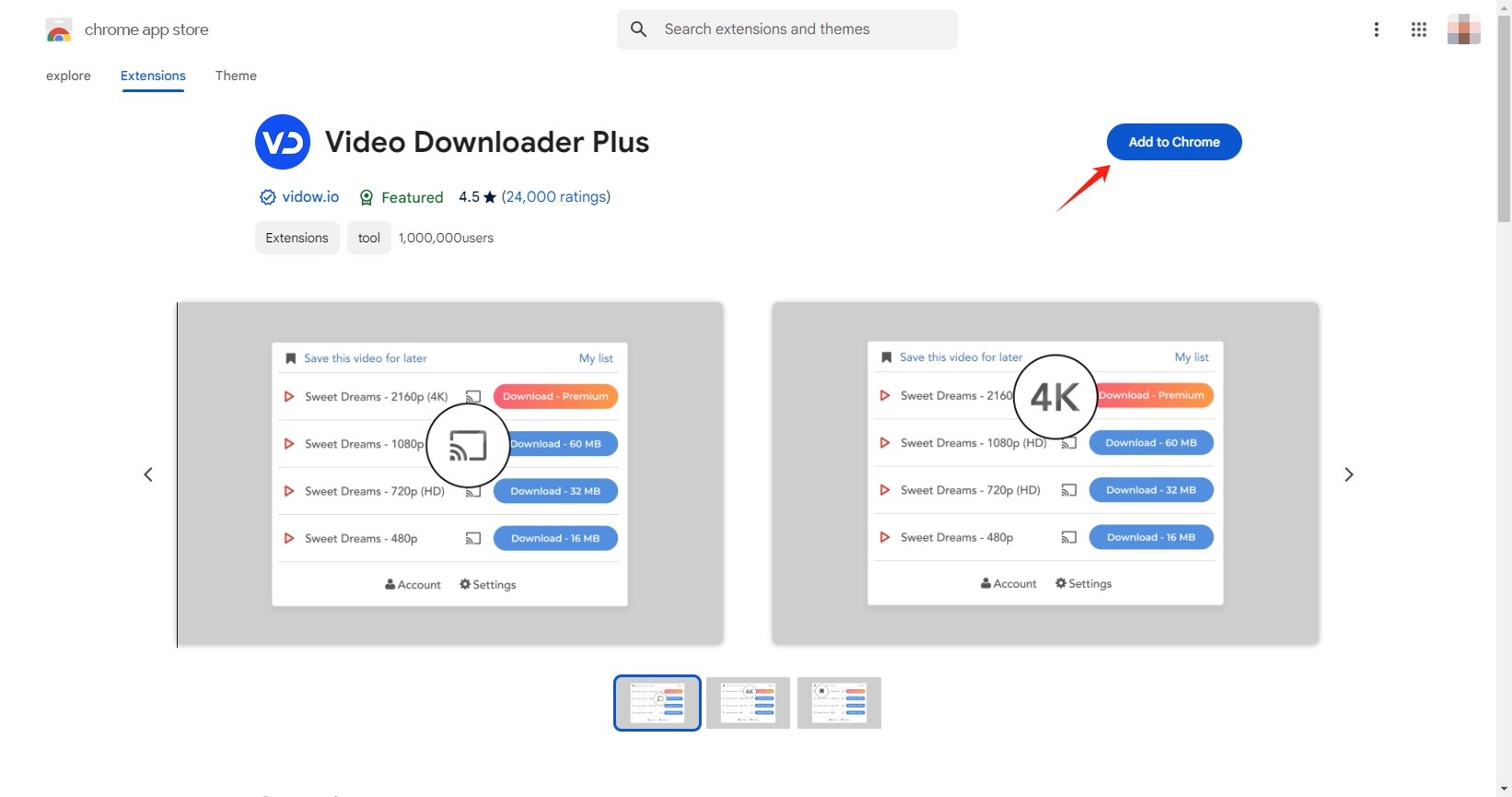
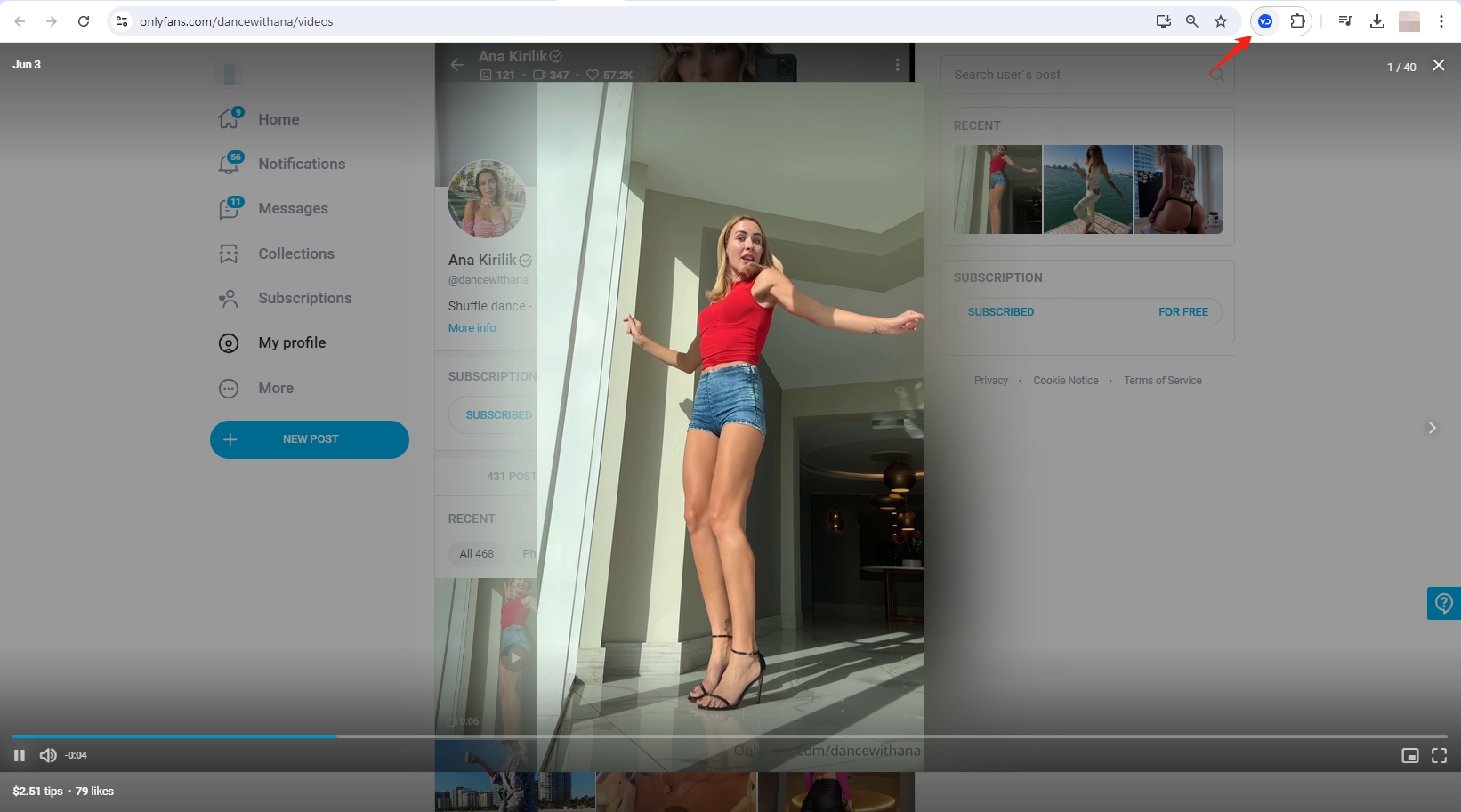
Step 2: Open OnlyFans and log in to your account, then find and play the video you want to save, then click on the Video Downloader Plus extension icon.
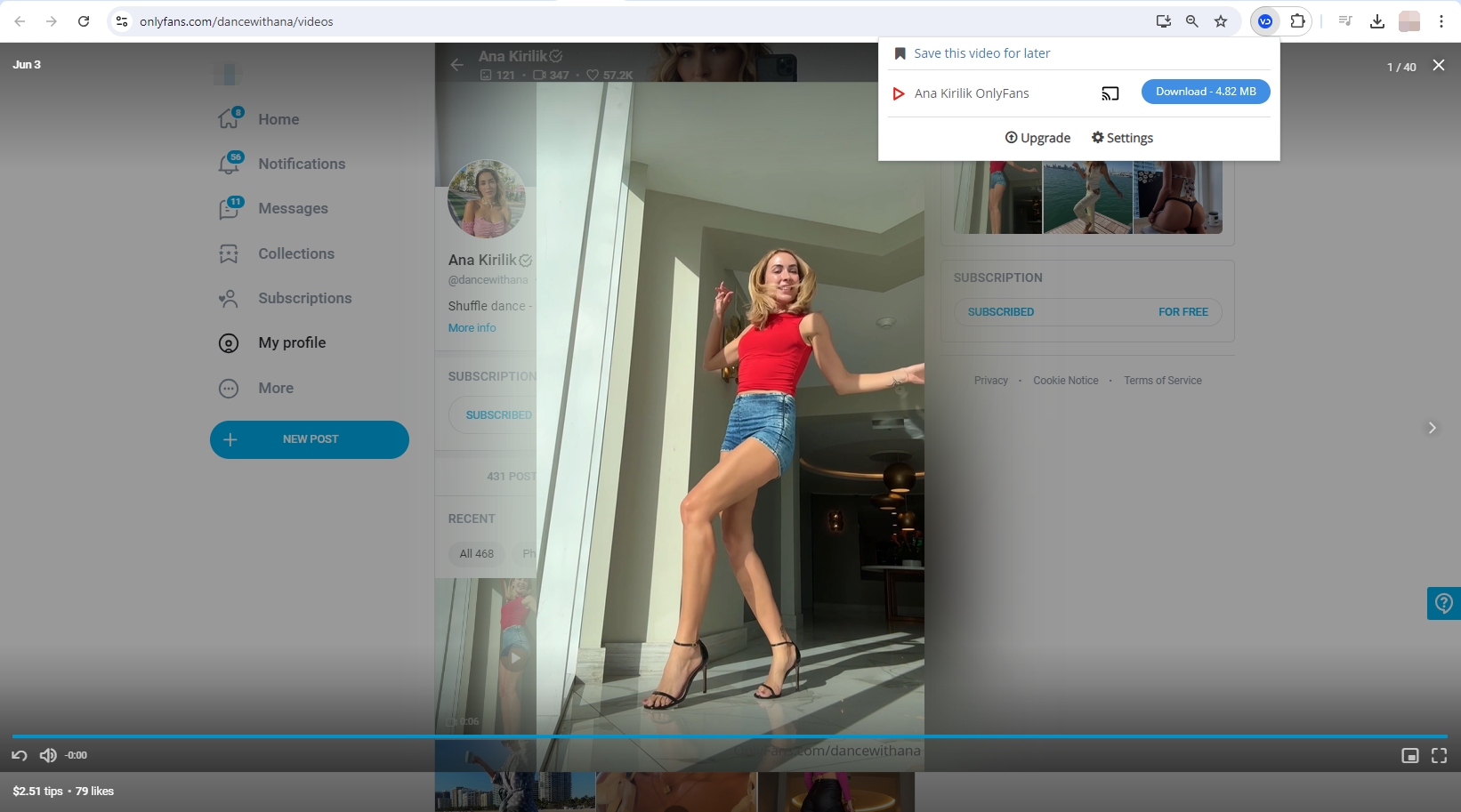
Step 3: The Video Downloader Plus extension will start detecting the video and show you options to download it from OnlyFans.
2. Download OnlyFans Videos Using Firefox Extensions
Firefox extensions can also be used to download videos from OnlyFans. Video DownloadHelper is a versatile extension for Firefox that supports a wide range of websites, including OnlyFans.
Follow these steps to download OnlyFans videos using Video DownloadHelper:
- Visit the Firefox Add-ons store and add Video DownloadHelper to your browser.
- Log in to your OnlyFans account, navigate to the video you wish to download and play it.
- Click on the extension icon and it will list available video quality and format options. Choose your preferred settings and click to download button to save the OnlyFans video.
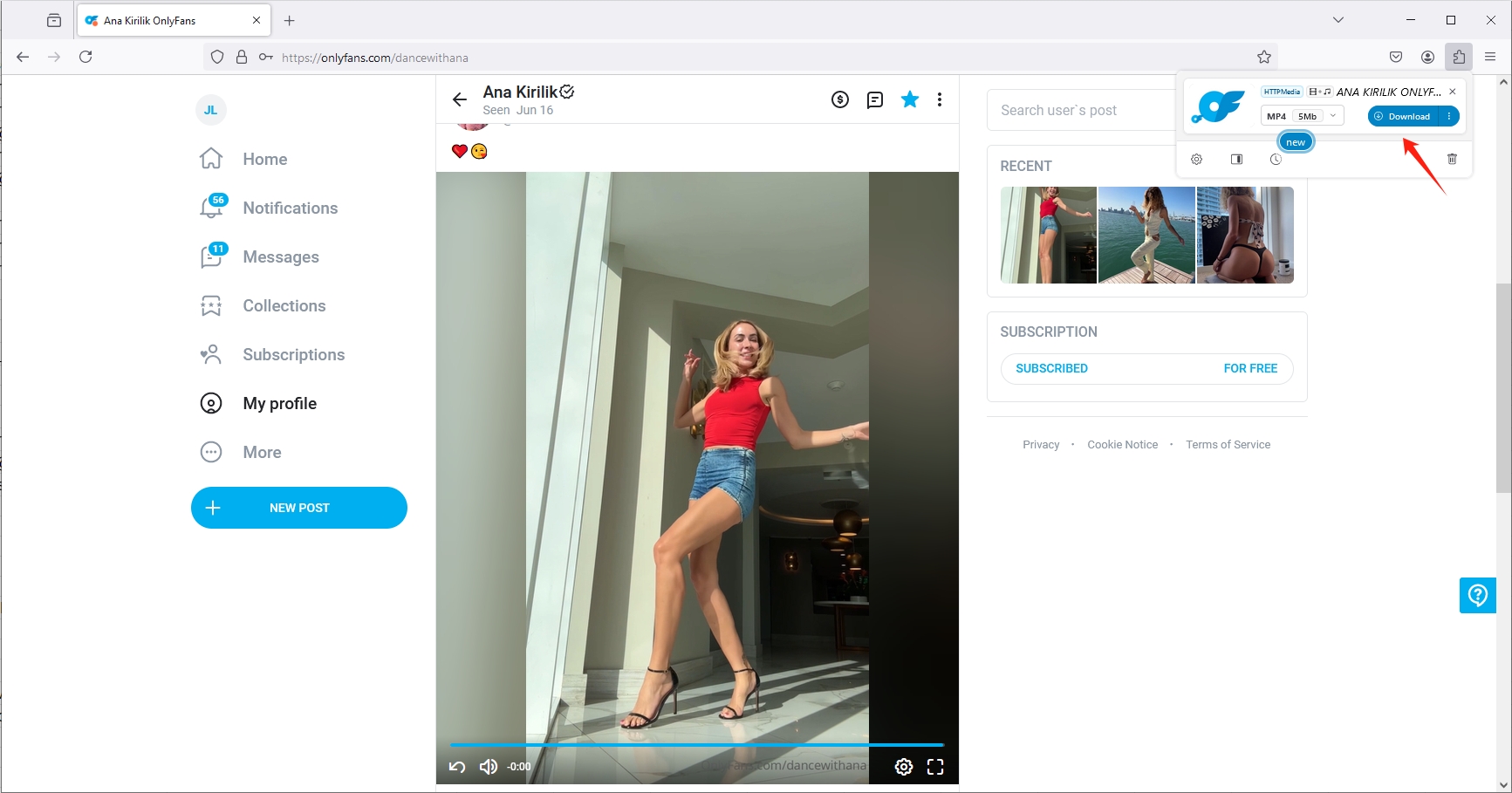
Browser extensions for downloading OnlyFans videos are convenient and integrate directly with your browser but can be limited in functionality and may not always support high-resolution downloads or multiple video formats.
3. Download OnlyFans Videos Using Online Downloaders
Online downloaders are a convenient option for downloading OnlyFans videos without needing to install software. One popular choice is Locoloader, which is an online service designed for downloading videos from various platforms, including OnlyFans.
Follow these steps to download videos from OnlyFans with Locoloader:
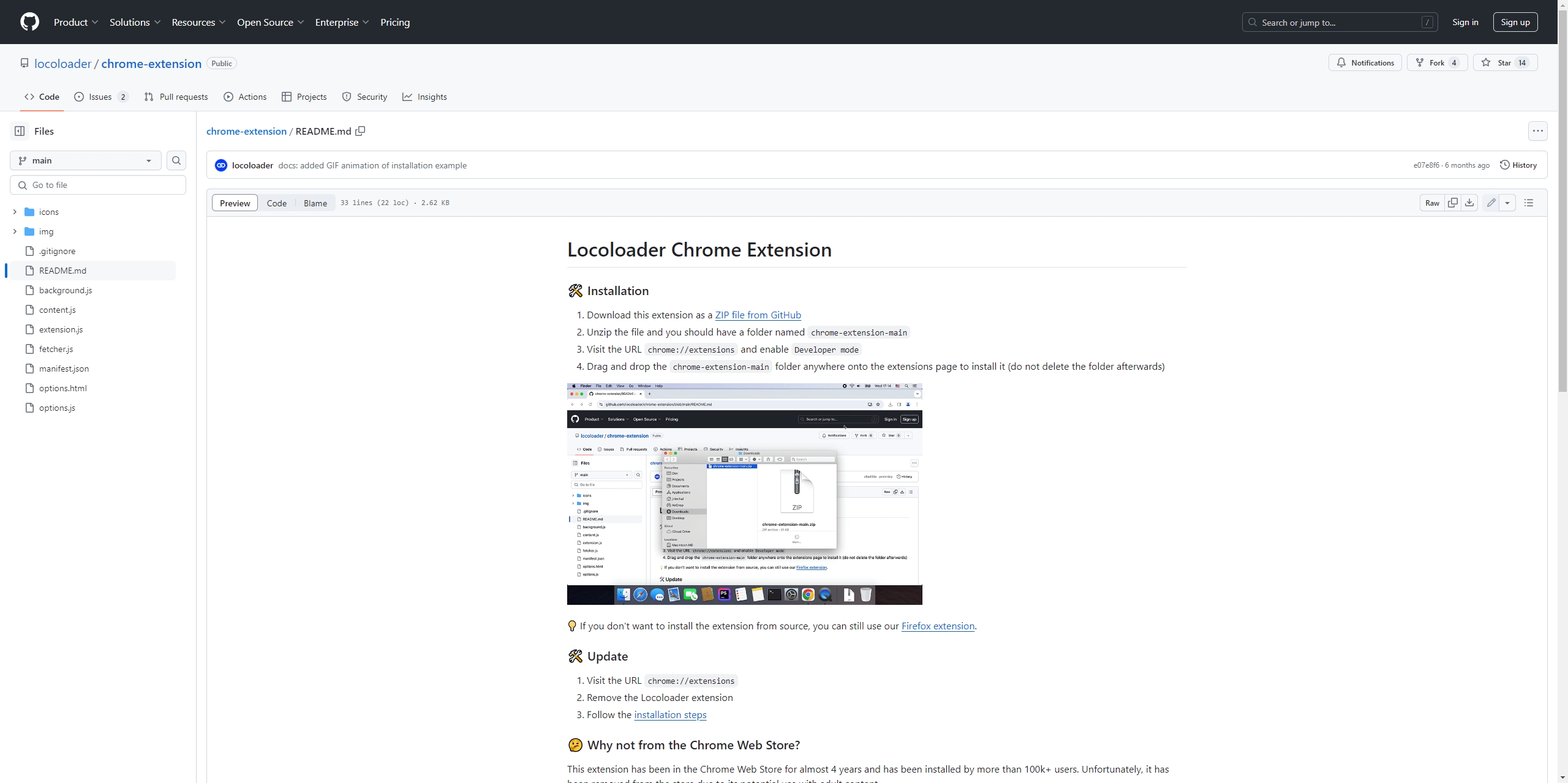
Step 1: Before using the Locoloader online OnlyFans downloader, you need to install the extension on your Chrome or Firefox browser.
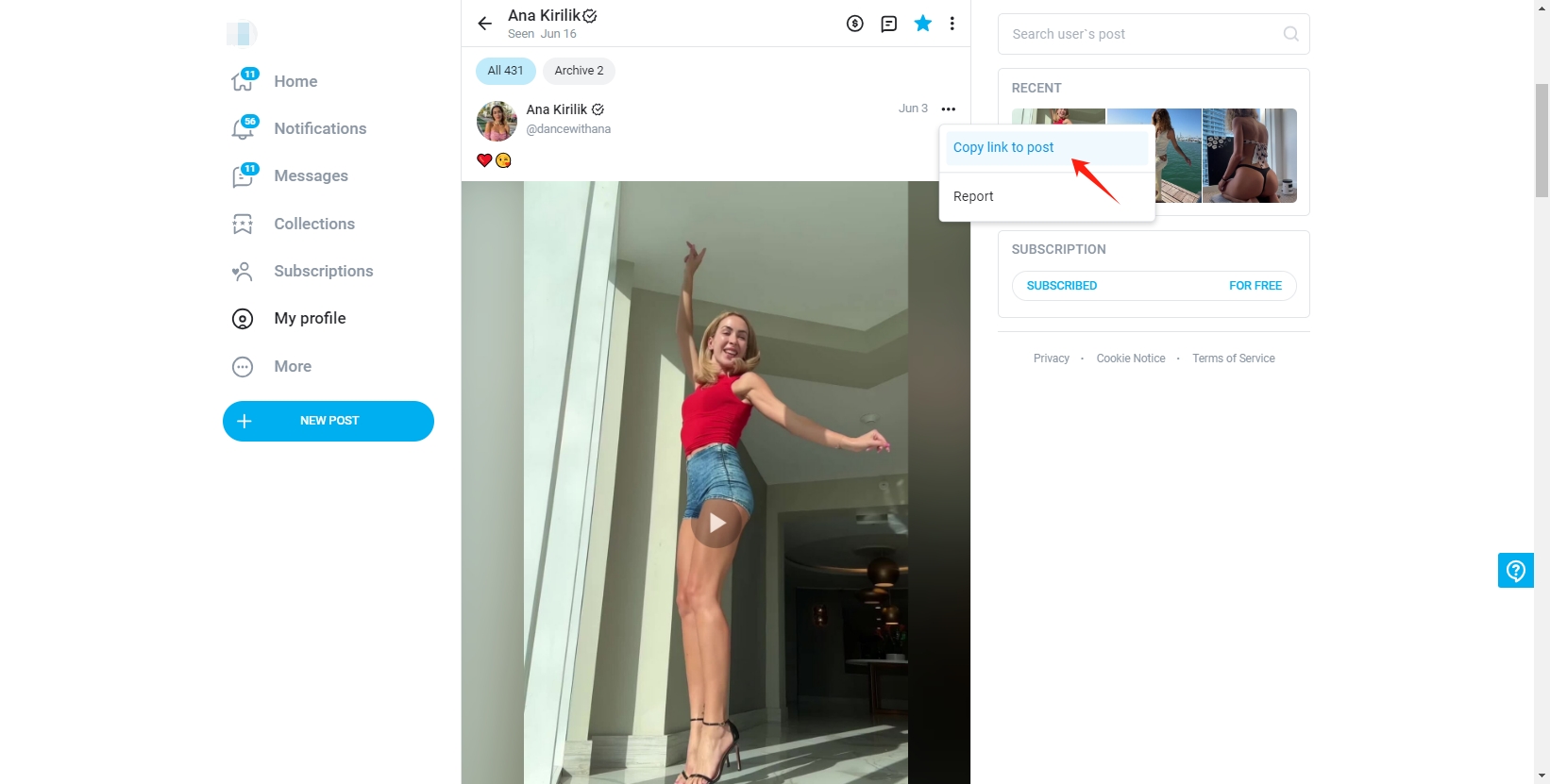
Step 2: Navigate to the OnlyFans post that contains specific video you want to download, and copy the post link.
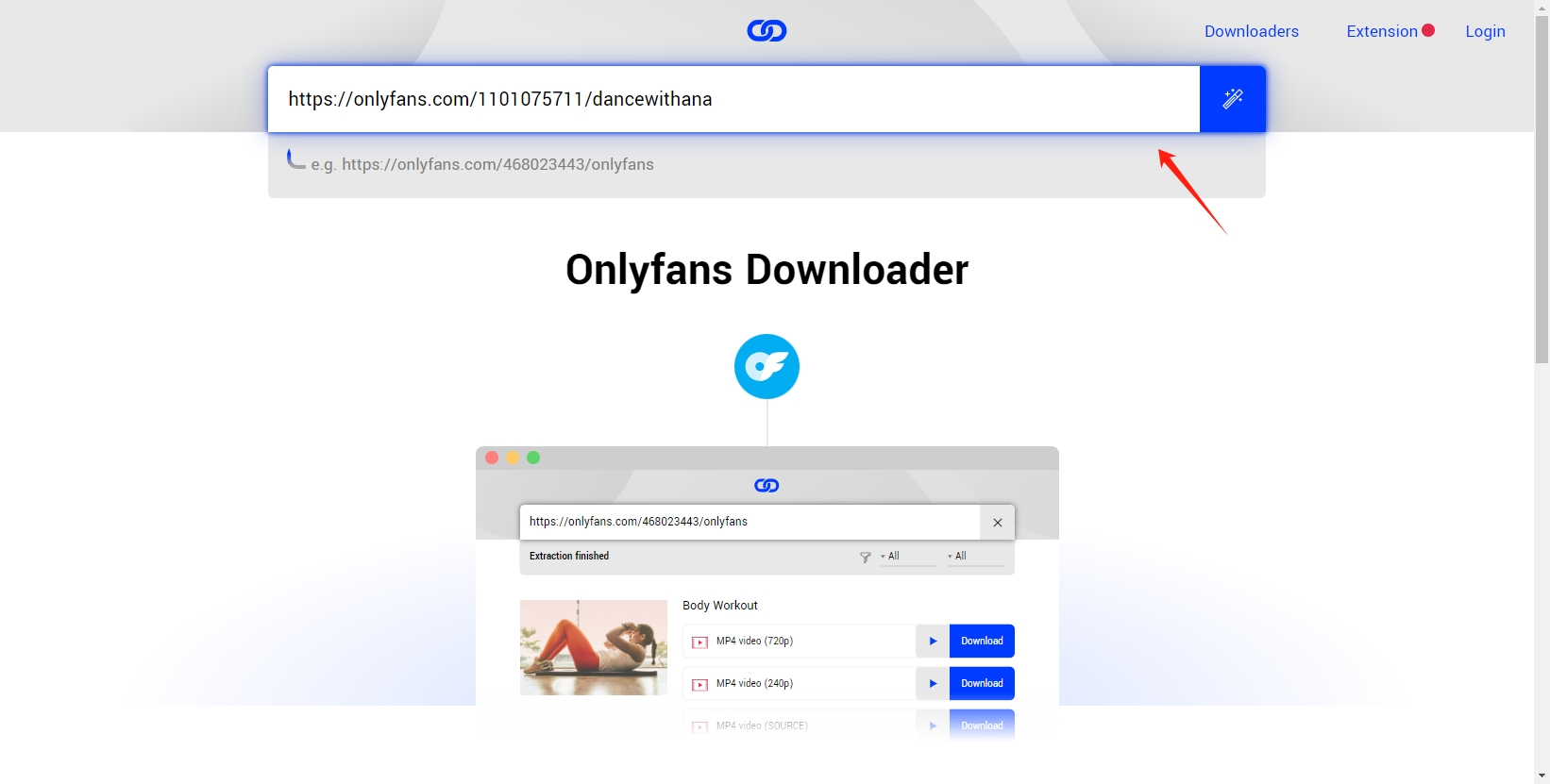
Step 3: Go back to the Locoloader OnlyFans downloader page and paste the URL of the OnlyFans post you copied.
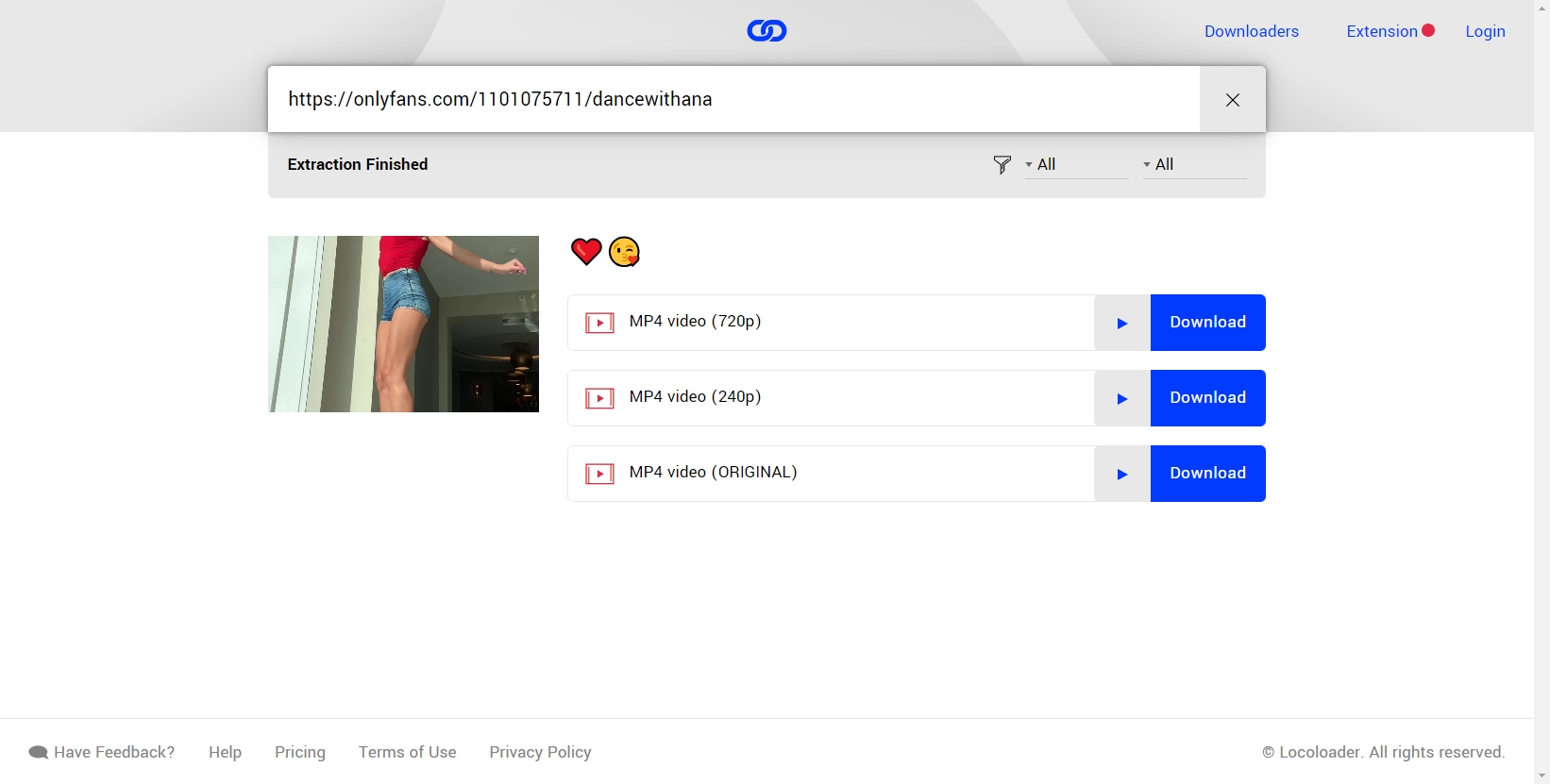
Step 4: Locoloader will analyze the video and present you with available quality options. Choose the quality you prefer and click to save the video file from OnlyFans to your computer.
Online downloaders offer a hassle-free way to download videos without additional software, but they may can’t 100% works and may be affected by ads or compatibility issues.
4. Can’t Download OnlyFans Videos? Try This Best OnlyFans Video Downloader
If the methods or tools above have failed to save OnlyFans videos, Meget offers a reliable alternative with advanced features. Meget is a powerful tool designed to streamline the process of downloading and converting videos from 10,000 websites, including OnlyFans. Meget allows you to download multiple videos at once and in high resolution. It’s also designed to be intuitive, making it easy for users to navigate and download OnlyFans content.
Follow these steps to start bacth downloading videos from OnlyFans with Meget:
Step 1: Download and run the Meget installer, then follow the prompts to install the software on your computer.
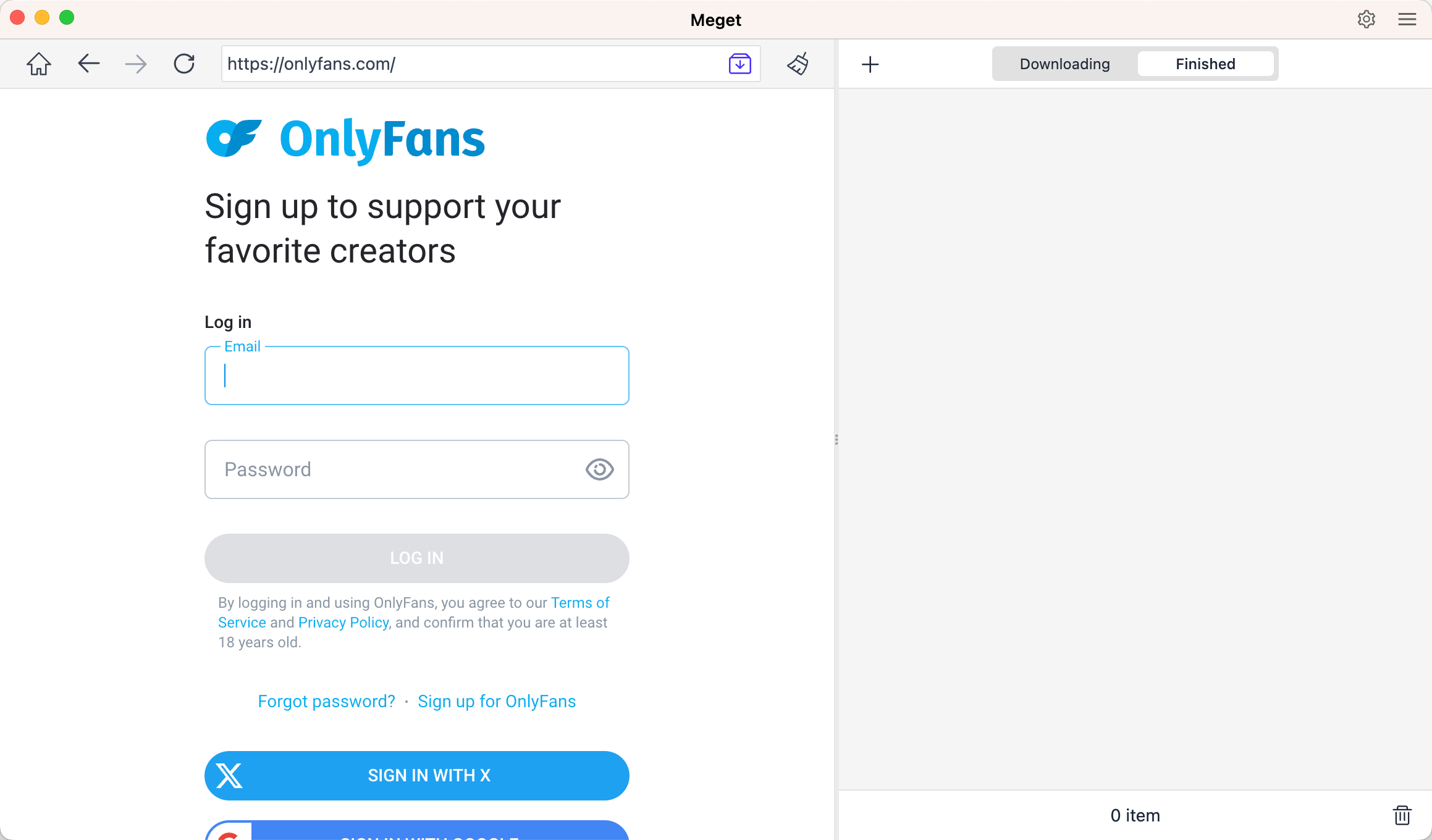
Step 2: Use Meget’s built-in browser to log in OnlyFans, then locate the page that contains the videos you want to download.
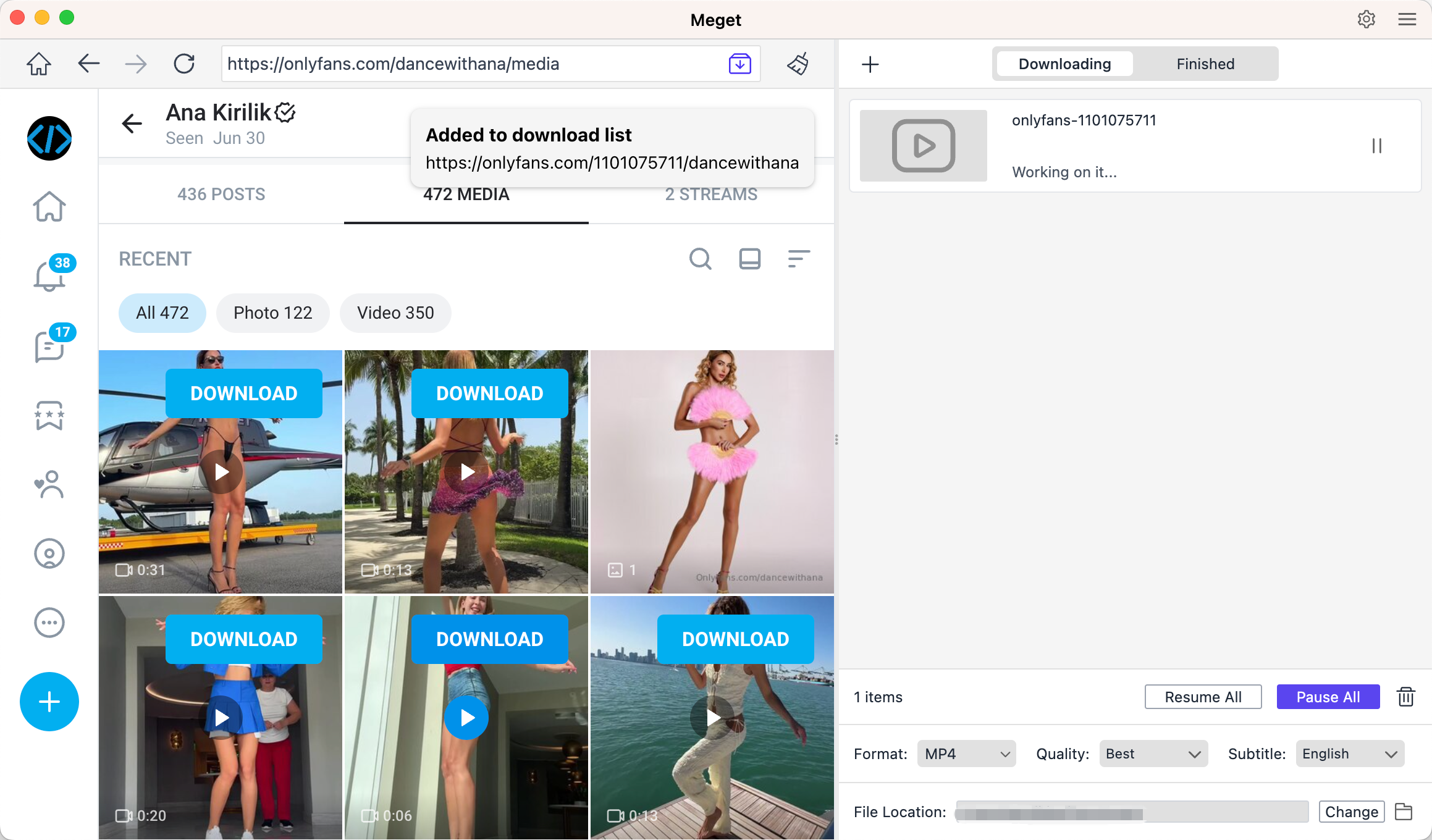
Step 3: Play the video and click the download button, Meget will start downloading all the videos added in the download queue.
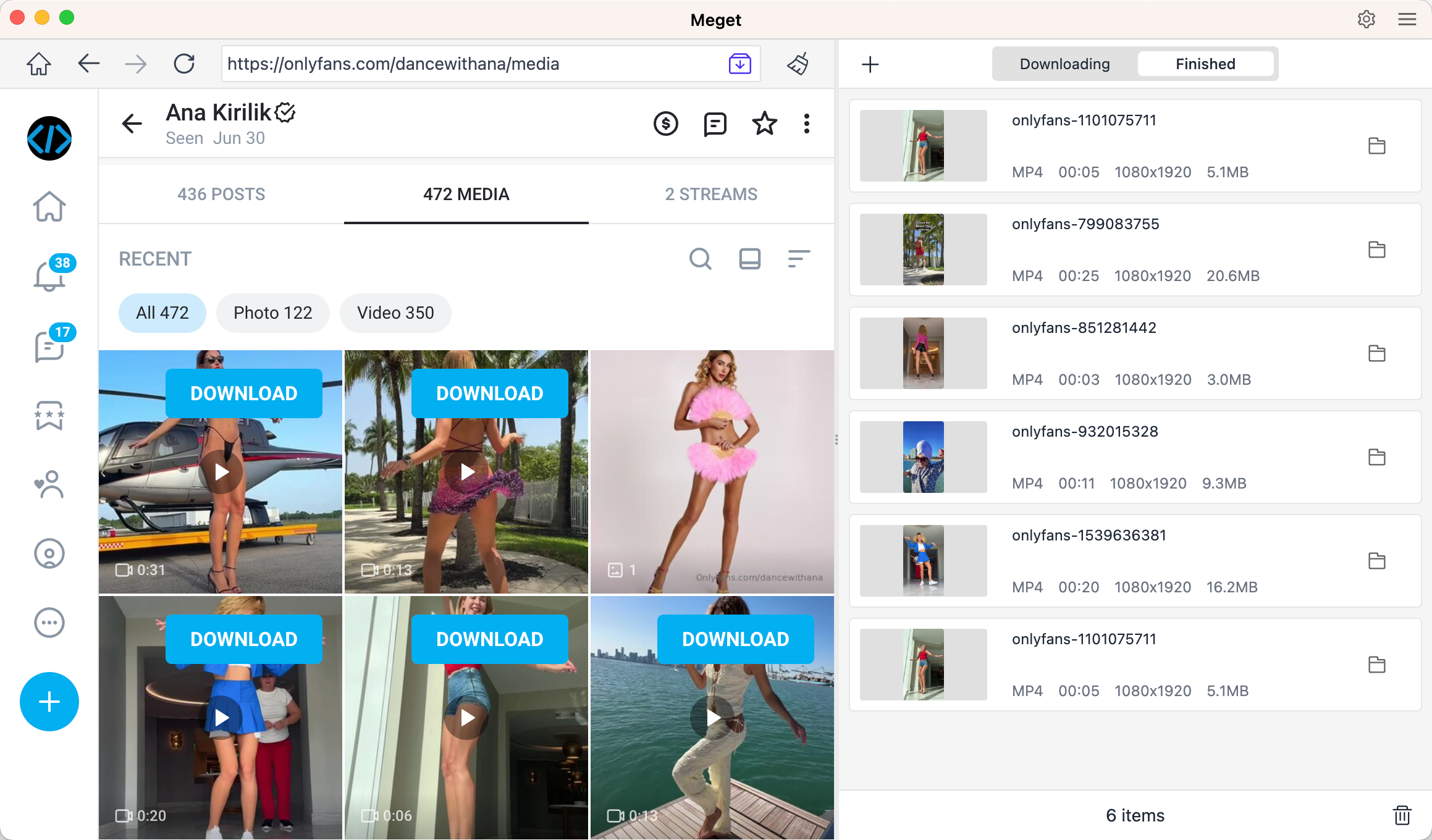
Step 4: Once the download is finished, find all the downloaded videos in the “Finished” tab.
5. Conclusion
Downloading OnlyFans videos involves understanding the available tools and methods while respecting the platform’s policies and creators’ rights. Browser extensions like Streamfork and Video Downloader Plus offer simple solutions for individual videos, while online downloaders such as Locoloader provide a quick way to save content without additional software.
For users seeking a comprehensive and efficient solution, Meget stands out as the best option. Its advanced features for bulk downloading and content management make it an excellent choice for those who need to download multiple videos.
In conclusion, Meget is highly recommended for its robust functionality and ease of use. It provides a powerful solution for downloading and managing OnlyFans videos, making it ideal for users who need to handle large volumes of content.