How to Download Twitter Video in 9×16?

Vertical video has become the dominant format across today’s social platforms. TikTok, Instagram Reels, YouTube Shorts, and even Facebook Stories all prioritize 9×16 aspect ratio videos designed for mobile viewing. Twitter (now X) also supports vertical video uploads, but downloading Twitter videos in true 9×16 format isn’t always straightforward.
Unlike some platforms, Twitter does not provide an official download button, nor does it allow users to choose an aspect ratio when saving videos. As a result, many creators and marketers struggle with horizontal downloads, black bars, or low-quality conversions when they want to reuse Twitter content for short-form platforms.
In this guide, you’ll learn some proven methods to download Twitter videos in 9×16. By the end, you’ll know which method fits your needs best, with a clear recommendation for the most efficient solution.
Method 1: Download Twitter Videos Uploaded in 9×16 Format (Quickest Method)
The easiest way to get a 9×16 Twitter video is to download one that was uploaded vertically in the first place. Many creators repost TikTok or Instagram Reels content on Twitter, which means the original aspect ratio is already 9×16.
Why this method works best:
- No quality loss
- No cropping or resizing required
- Perfect for reposting to Shorts, Reels, or TikTok
- Saves time and effort
Meget is a dedicated tool for downloading and converting Twitter/X videos without changing their original resolution or aspect ratio.
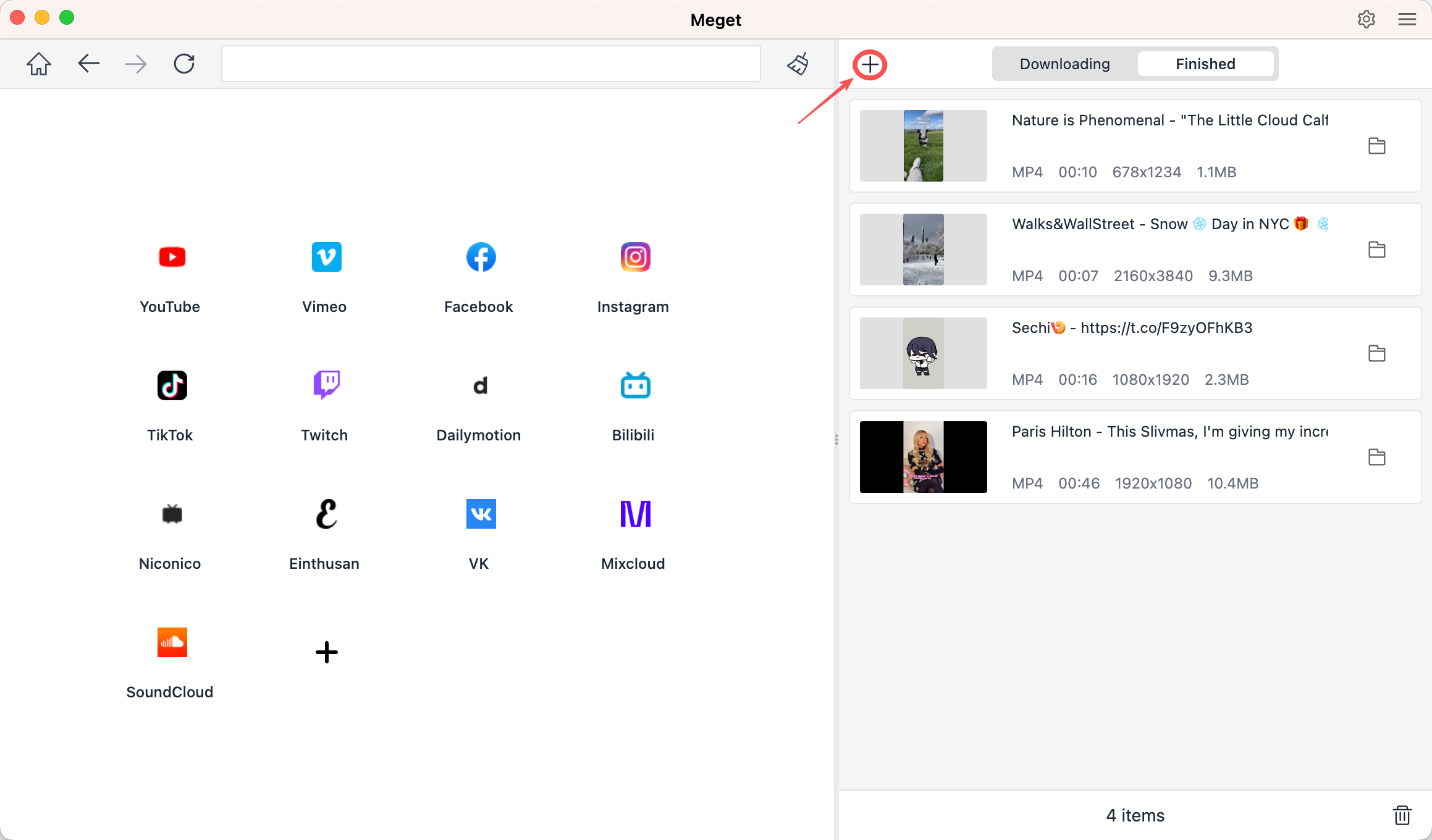
Step-by-step guide to download twitter video in 9×16 with Meget:
- Download and install appreciate version of Meget on your device, then open it.
- Open Twitter and collect the links of all the videos you want to download from Twitter in 9×16.
- within Meget and locate the video you want to download
- Return to Meget, choose the output format/quality, then click the “+” icon.
- Meget will start downloading, and you can find all the downloaded Twitter videos in the “Finished” section.
Method 2: Download → Crop to 9×16 (Most Flexible)
Sometimes the Twitter video you want is horizontal (16:9) or square (1:1). In this case, you can still create a 9×16 video by downloading it first and then cropping or resizing it.
Steps:
- Use Meget or any reliable Twitter downloader to save the video in the highest resolution available.
- After downloading, use a video editing tool to convert the aspect ratio.
Recommended tools:
- CapCut (Windows, macOS, mobile)
- Adobe Premiere Pro
- Filmora
- Final Cut Pro
- Online editors like Kapwing or VEED
How to crop correctly:
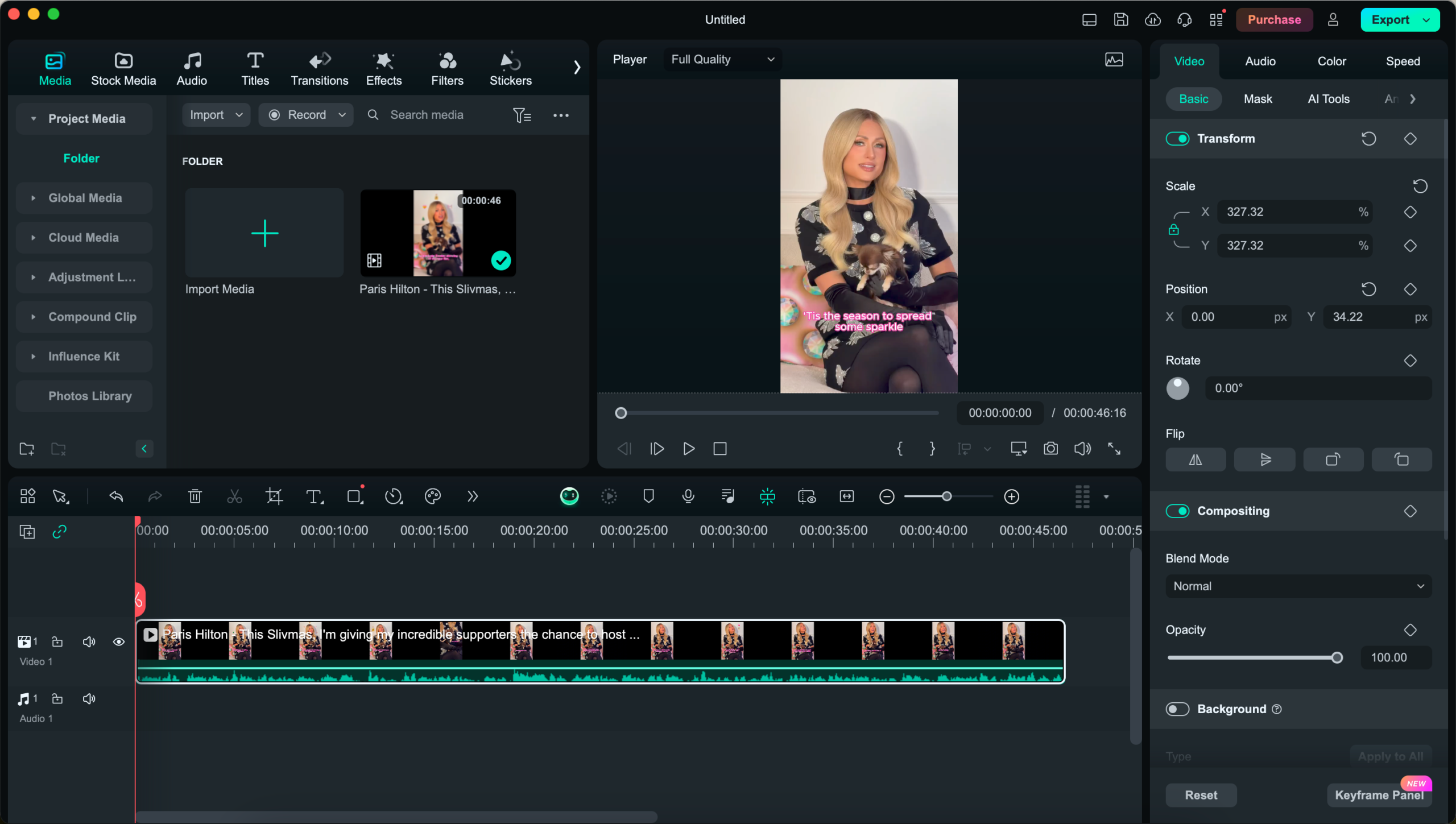
- Create a new project in the video wditing tool, such as Filmora
- Set canvas or sequence size to 1080 × 1920 (9×16)
- Import the Twitter video
- Reposition and scale the video so the main subject stays centered
- Export as MP4 (H.264)
Method 3: Download & Export to 9×16 with Screen Recording
Some Twitter videos are difficult or impossible to download directly due to:
- Account privacy restrictions
- Age-sensitive content
- Temporary playback errors
- Embedded or protected media
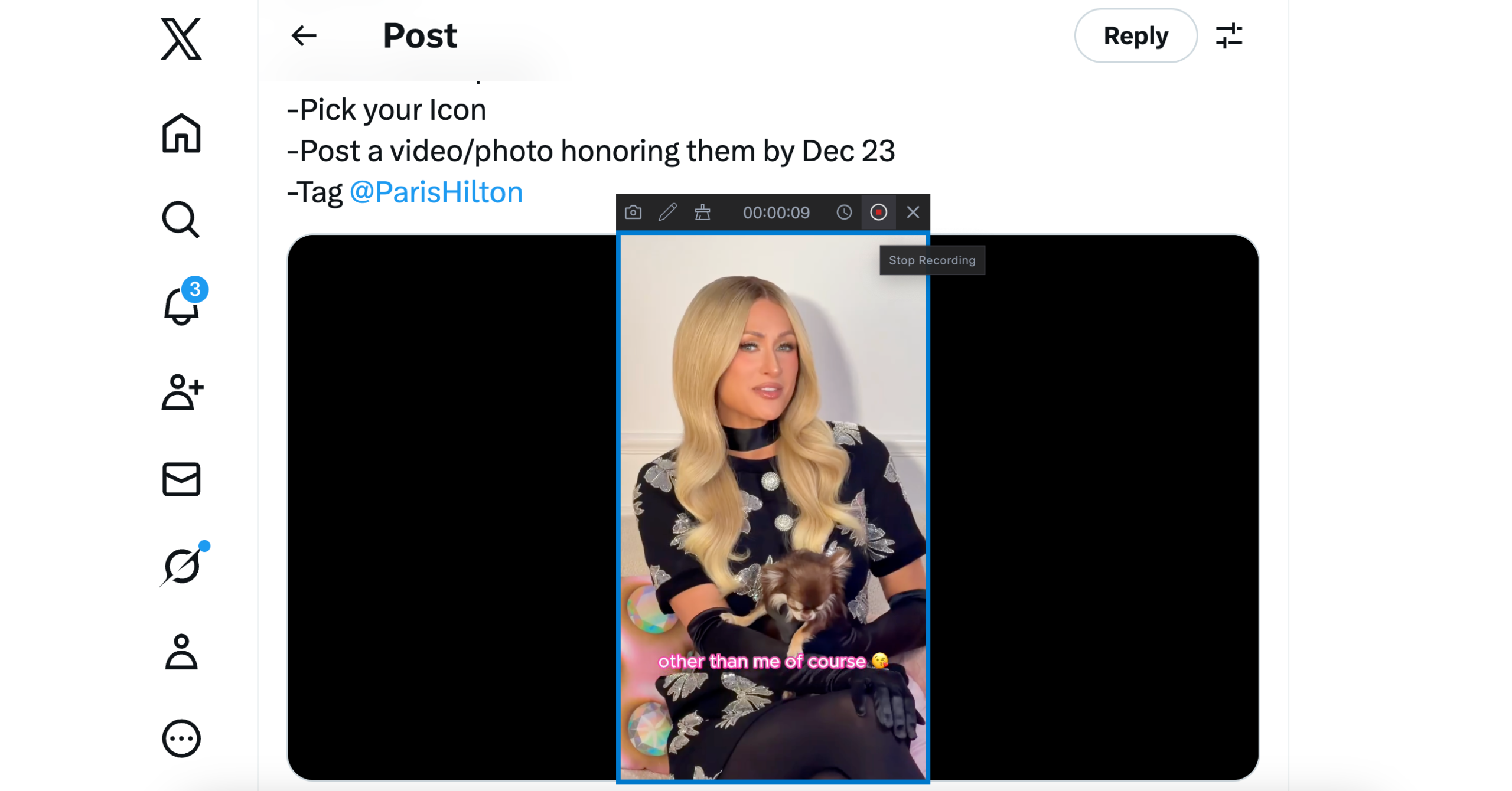
In these cases, screen recording is the most reliable workaround. Swyshare Recordit is a lightweight screen recorder that allows you to control resolution, orientation, and recording area—making it perfect for vertical video capture.
Step-by-step guide to record Twitter video in 9×16 with Recordit:
- Download and install the right version of Swyshare Recordit for your device, the launch it.
- Open Twitter in a web browser, then use Recordit to set your screen or recording region to portrait (9×16) and set other record parameters like audio, output type and quality.
- Play the Twitter video in full screen and then start recording
- Stop recording once the video ends, then find the recorded video in the “Files” tab.
4. Bonus: Best Export Settings for 9×16 Videos
No matter which method you choose, use these recommended settings for social platforms:
- Aspect ratio: 9×16
- Resolution: 1080 × 1920
- Format: MP4
- Codec: H.264
- Frame rate: 30 fps (or match original)
- Bitrate: 8–12 Mbps
These settings ensure compatibility with TikTok, Instagram Reels, and YouTube Shorts.
5. Conclusion
Downloading Twitter videos in 9×16 doesn’t have to be complicated. The right method depends on the source video and your workflow:
- Method 1 (Download already-vertical videos) is the fastest and highest-quality option
- Method 2 (Download and crop) offers flexibility and creative control
- Method 3 (Screen recording) works when everything else fails
For most users, Meget is the best overall solution. It preserves the original quality, supports high-resolution Twitter downloads, and makes it effortless to save vertical videos without extra editing. If your goal is to repost Twitter content to TikTok, Reels, or Shorts, starting with Meget will save you time and ensure professional results.
Choose the method that fits your needs—but whenever possible, download vertical videos directly with Meget for the cleanest 9×16 output.