iMyFone TopClipper Quick Overview in 2026

In 2026, video downloading and content repurposing continue to play an essential role for social media creators, educators, marketers, researchers, and everyday users who want to save online content. With short-form videos dominating platforms like TikTok, Instagram Reels, YouTube Shorts, and Facebook, reliable video downloader tools have become indispensable.
One tool commonly used by beginners is iMyFone TopClipper, known for its straightforward interface and basic editing options. This overview explains what TopClipper offers, how it works, as well as discuss its advantages and limitations.
1. What Is iMyFone TopClipper?
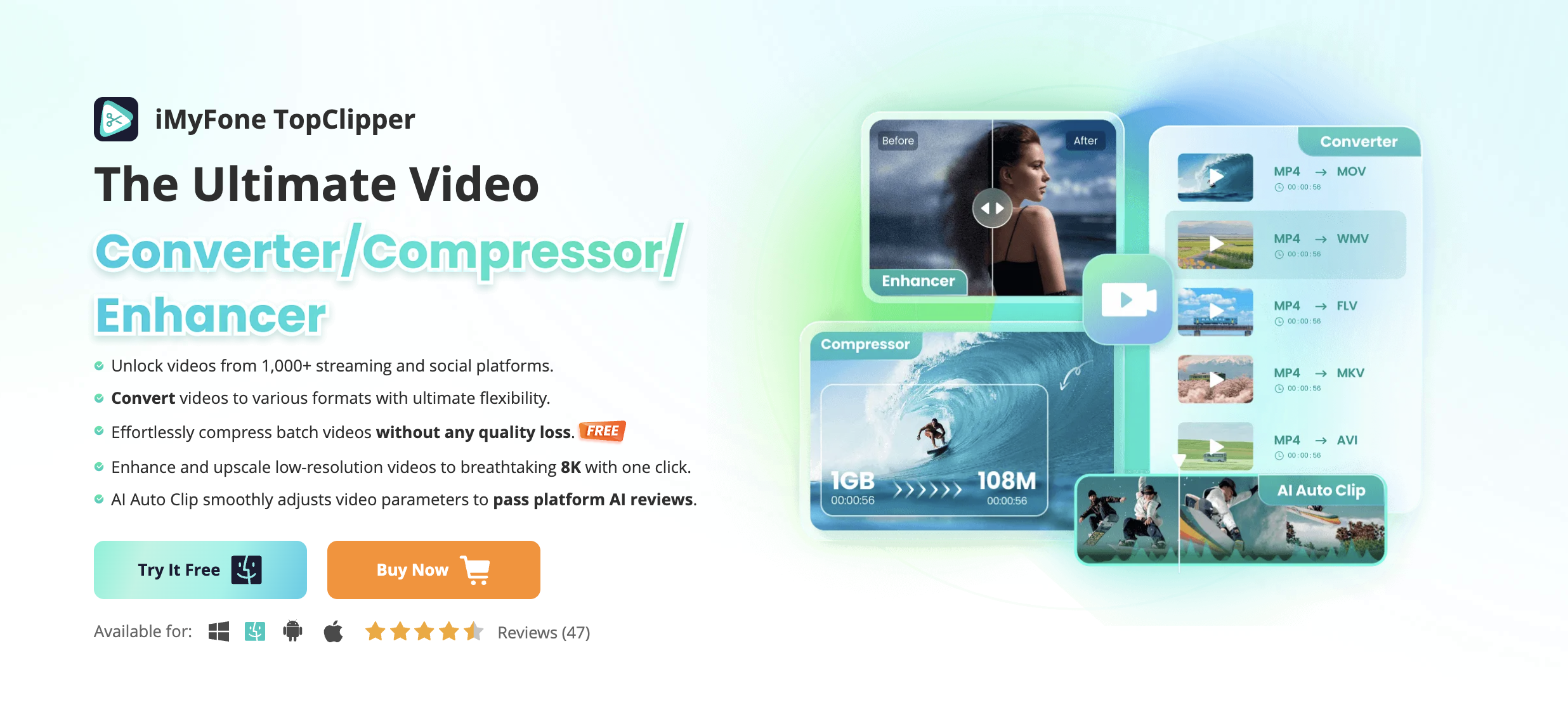
iMyFone TopClipper is a video downloader and light editing tool designed to help users easily download videos from major platforms such as TikTok, YouTube, Instagram, Facebook, Twitter, and more. It allows you to import a video link, remove watermarks (where supported), extract audio, convert formats, and make quick edits before exporting.
Main Features of TopClipper:
- Video downloader supporting all major social platforms
- Watermark-free downloads for certain UGC sites
- Basic video editing (trim, flip, speed up/slow down, auto-edit templates)
- Video conversion to formats like MP4, MOV, AVI, MKV
- Audio extraction (convert video to MP3 or WAV)
2. How to Use iMyFone TopClipper?
Using iMyFone TopClipper is generally simple. Here’s the typical step-by-step process:
Step 1: Download the software for Windows, Mac, or Android, then launch the home interface.
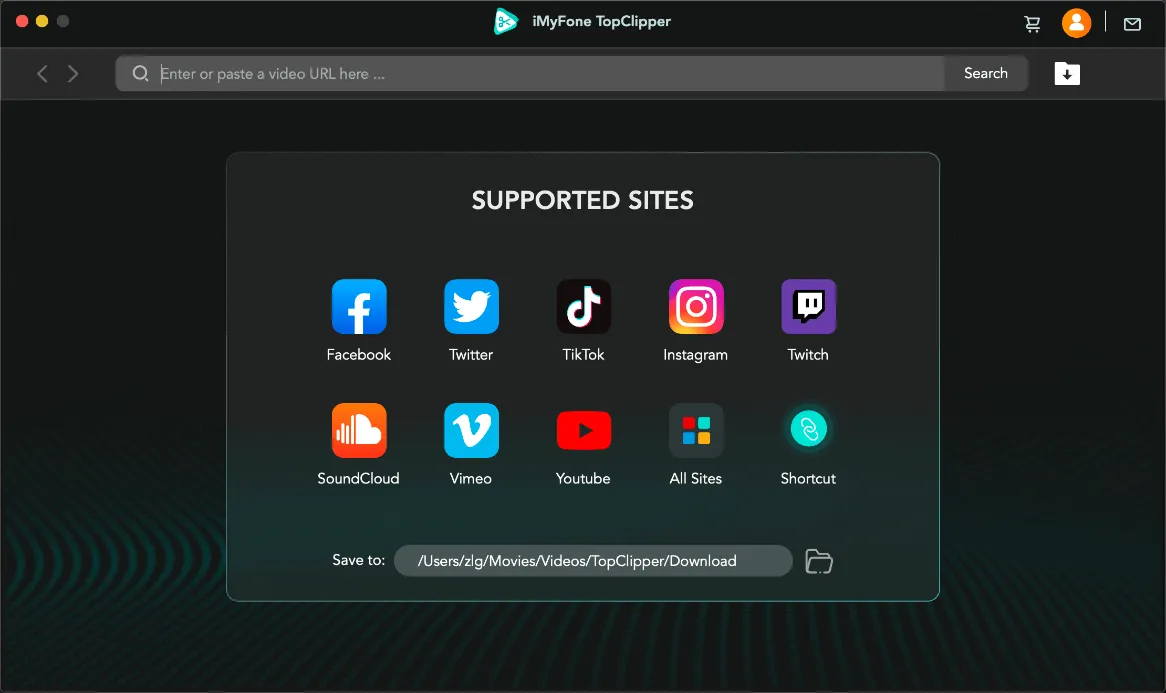
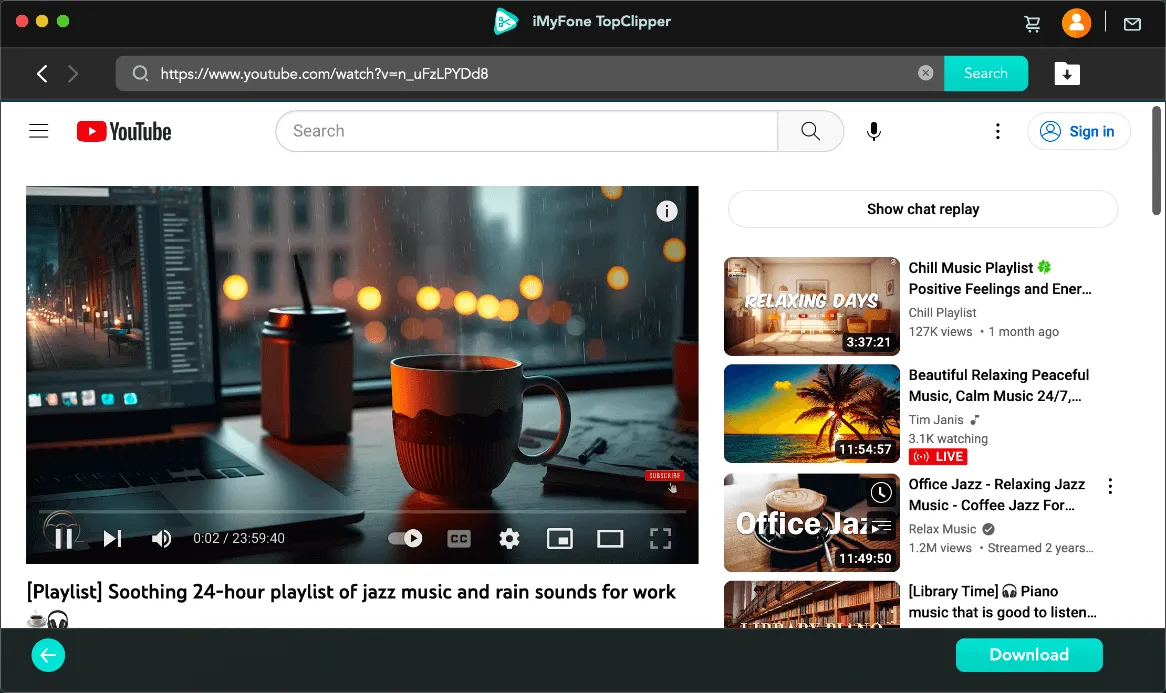
Step 2: Copy the video link (TikTok, YouTube, Instagram, etc.), then paste the link into TopClipper and click Search, next play the video and click the Download button.
Step 3: TopClipper parses the URL and retrieves download options, including formats and resolutions; Choose your preferred resolution—720p, 1080p, or higher if available—and pick the format (MP4, AVI, MOV, MP3, etc.).
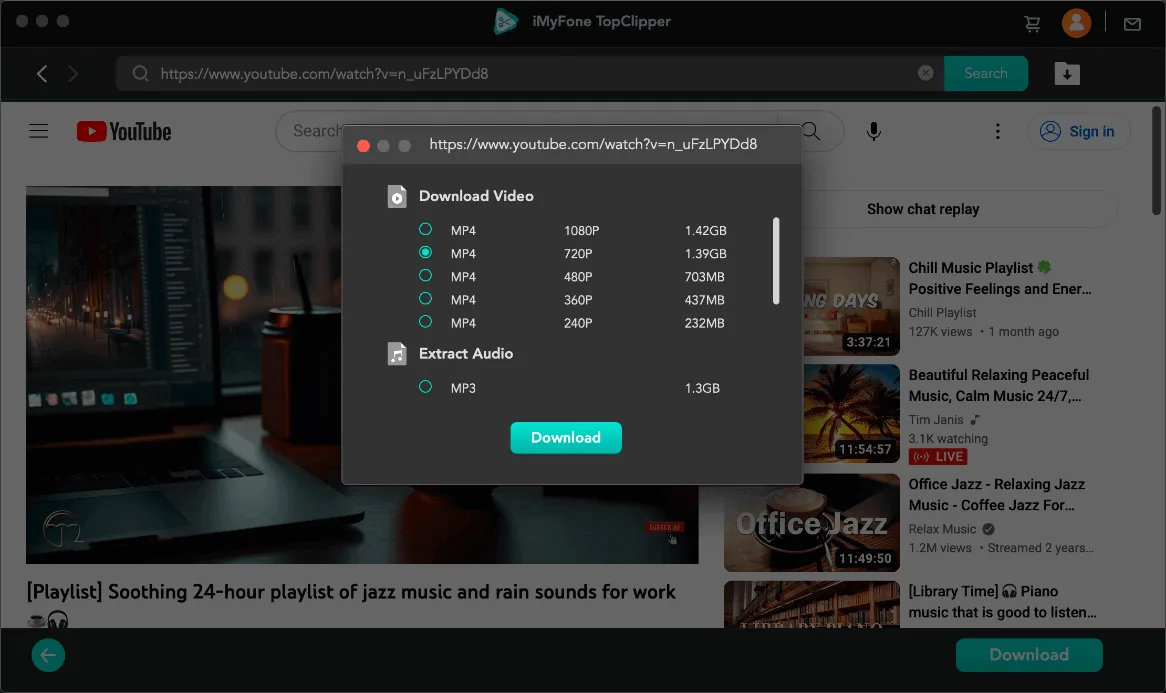
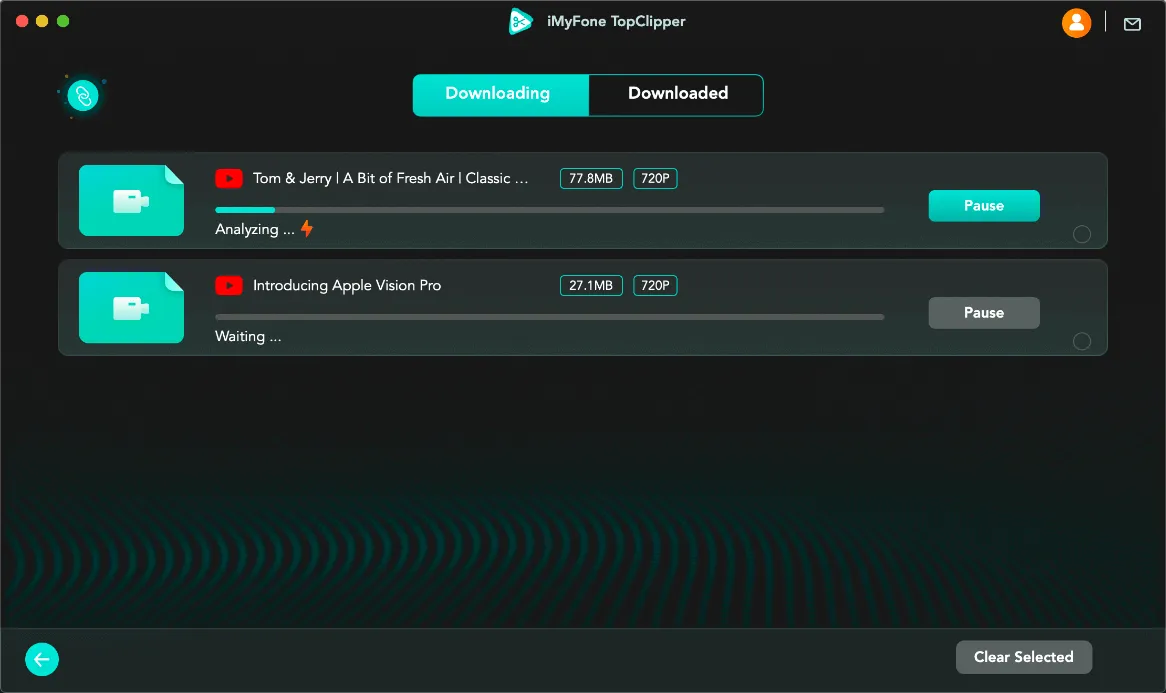
Step 4: Click Download to start the downloading process. It will appear in your TopClipper download library.
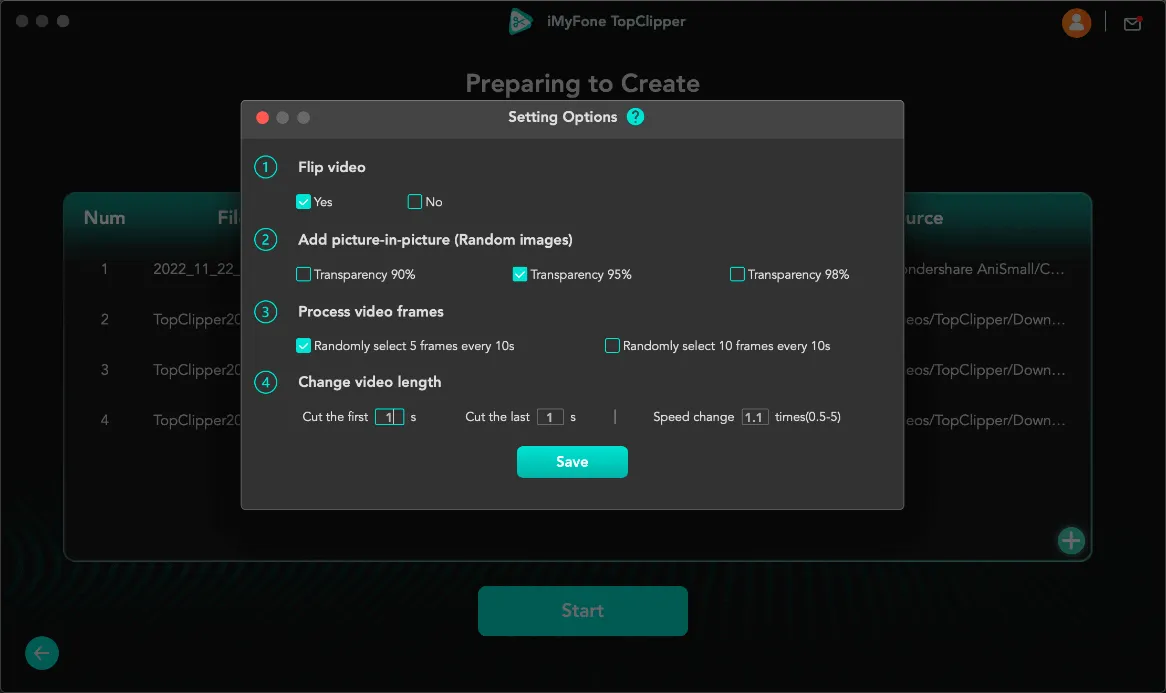
Step 5: Make basic edits (Optional)
Flip video, add picture-in-picture, process video frames or change the video length before exporting.
3. Pros and Cons of iMyFone TopClipper
Pros:
- Supports a wide range of video platforms
- Removes watermarks for certain social media videos
- Includes simple editing tools for quick content adjustments
- Extracts audio and converts video to multiple file formats
Cons:
- Pricing is higher than many competing downloaders
- Free version is highly limited, requiring users to upgrade early
- Editing features are basic and not suitable for advanced creators
- Parsing may fail on private, restricted, or region-locked videos
- Slower speeds compared to more optimized modern downloaders
4. Try the More Affordable and Easy-to-Use Video Downloader & Converter — Meget
If you’re looking for a faster, more affordable, and smoother experience than iMyFone TopClipper, Meget is one of the best alternatives available in 2026. It is designed to be lightweight, intuitive, and capable of downloading and converting videos from hundreds of platforms with exceptional speed.
What Makes Meget Better?
- More affordable pricing than TopClipper
- Cleaner, more modern interface
- Extremely fast parsing and download speeds
- Bulk download support for saving multiple videos at once
- Supports high-resolution output, including 1080p, 2K, 4K, and 8K (when available)
- Strong format conversion tools (MP4, MOV, MKV, AVI, MP3, WAV, and more)
How to Use Meget:
- Get Meget from the official site and install it on your Windows, Mac or Android device.
- Launch Meget, choose download resolutions, formats and file location on the main interface.
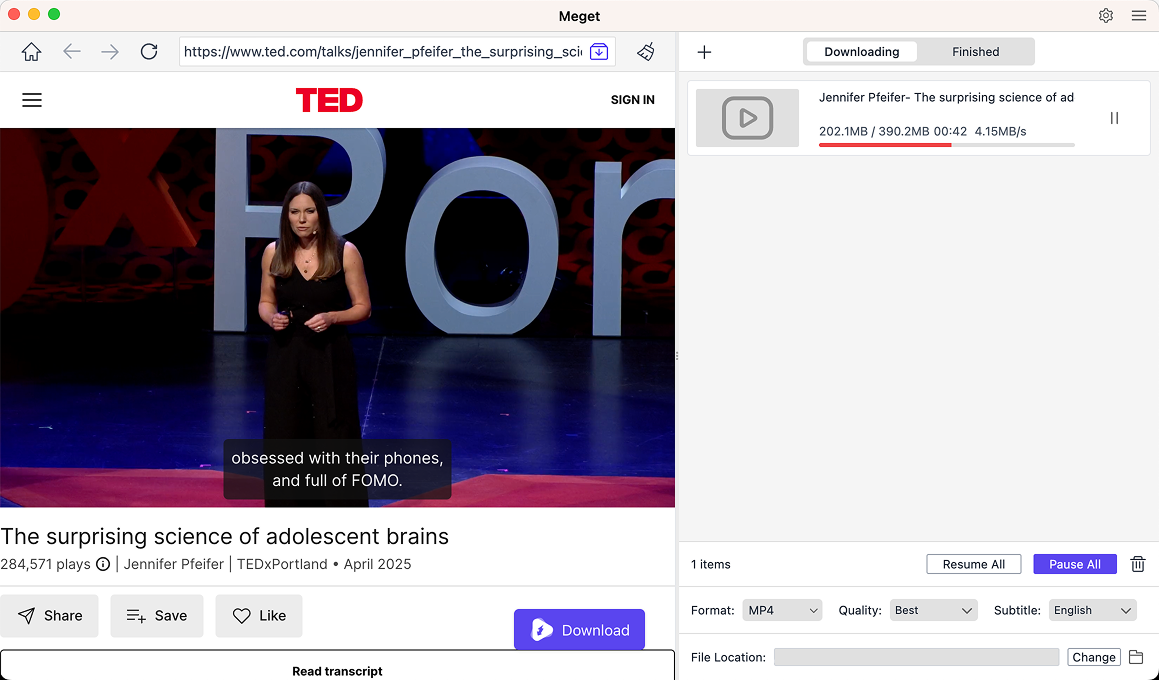
- Use Meget’s built-in browser to open and play the video you want to download.
- Click the Download button to add the video to Meget’s download list.
- When the download is finished, open the “Finished” tab to find all the downloaded videos.
5. Comparison Table: iMyFone TopClipper vs. Meget
| Feature | iMyFone TopClipper | Meget |
|---|---|---|
| Ease of Use | Simple | Very simple, cleaner UI |
| Supported Platforms | Major social sites | 10,000+ sites supported |
| Download Speed | Moderate | Very fast |
| Free Version | Download video once; Download Audio once. | Download video/audio/playlist 3 times. |
| Video Quality | Up to 1080p or platform-dependent | Up to 4K–8K if source allows |
| Bulk Downloading | Support | Full batch support |
| Editing Tools | Basic | No |
| Audio Extraction | Yes | Yes |
| Pricing | Video toolkit 1-month plan: $29,99; Video toolkit 1-year plan: $69,99; Video toolkit lifetime plan: $79,99. | 1-month plan: $9,95; 1-year plan: $19,95; Lifetime plan: $29,95; Family plan: $39,95. |
| Installation | May stuck on installation | 100% installation success rate |
6. Conclusion
iMyFone TopClipper provides basic downloading and light editing features, making it suitable for simple, occasional use. However, its higher pricing, limited free version, and slower performance make it less appealing in 2026—especially for users who frequently download or repurpose online videos.
If you want a faster, more affordable, and more versatile solution, Meget is the better choice. With its cleaner interface, high-speed downloads, broader site support, and powerful conversion options, Meget offers a smoother experience and far better value. For most users, Meget is the recommended tool for efficient video downloading and conversion in 2026.