Aparat Downloaders: Best Tools to Download Aparat Videos in 2026

Aparat is one of the most popular video-sharing platforms in Iran, offering a wide range of videos, including entertainment, tutorials, educational content, music, and more. If you want to save your favorite Aparat videos for offline viewing, sharing, or personal archiving, using a reliable video downloader can make the process much easier.
However, not all downloaders offer the same experience. Some online tools allow you to download individual videos by pasting a URL, while browser extensions can detect playable media directly from a webpage. For users who need to save multiple videos efficiently, desktop bulk downloaders are often a better choice.
In this article, we’ll introduce the top Aparat video downloaders of 2026 to help you choose the right tool for your needs.
1. Best Aparat Bulk Video Downloader – Meget
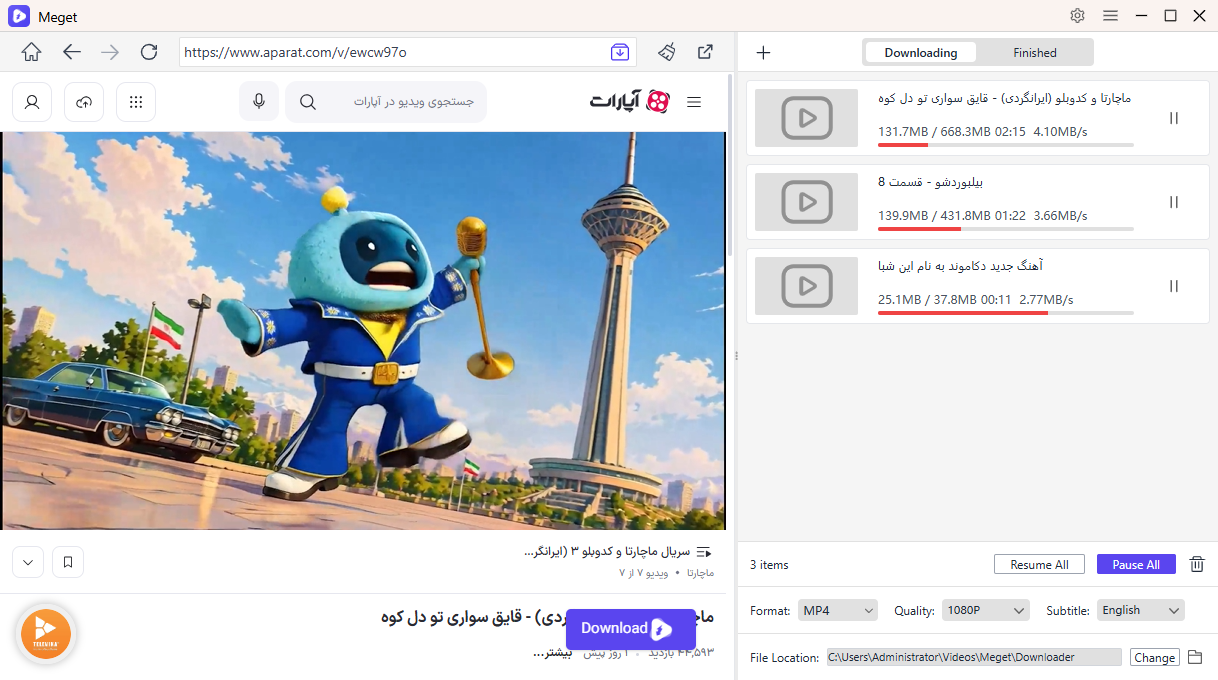
Meget is a powerful desktop video downloader and converter designed for users who frequently save online videos. Unlike basic online downloaders that generally process one link at a time, Meget supports batch downloading, allowing users to collect multiple video URLs and process them together.
Main Features of Meget:
- Download multiple video URLs or entire supported playlists simultaneously.
- Support media downloading from more than 10,000 websites.
- Support available video resolutions up to 8K.
- Convert videos and audio into MP4, MP3, AVI, MOV, and other formats.
- Choose output quality, format, subtitles, and download location.
- Browse supported websites and access available media directly within the application.
Steps to Download Aparat Videos with Meget:
- Download the appropriate Windows or Mac version of Meget, and launch the application to select your preferred output format, video quality, and destination folder.
- Open an Aparat page inside Meget, play video and click the download button, then repeat the process for downloading more Aparat videos.
- Alternatively, copy multiple Aparat video URLs, return to Meget, and click “Paste URL(s) to Download” to download them in bulk.
- After the downloads are complete, go to the Finished section to find and access your saved Aparat videos.
2. Best Aparat Online Video Downloaders
Online Aparat downloaders are convenient alternatives for people who don’t want to install additional software. Most work through a simple URL-based process: copy a video link, paste it into the downloader, and save the available file.
Here are some online options worth considering:
- MediaPuller
- TubeNinja
- FetchFile
Steps using online downloaders to download a Aparat video:
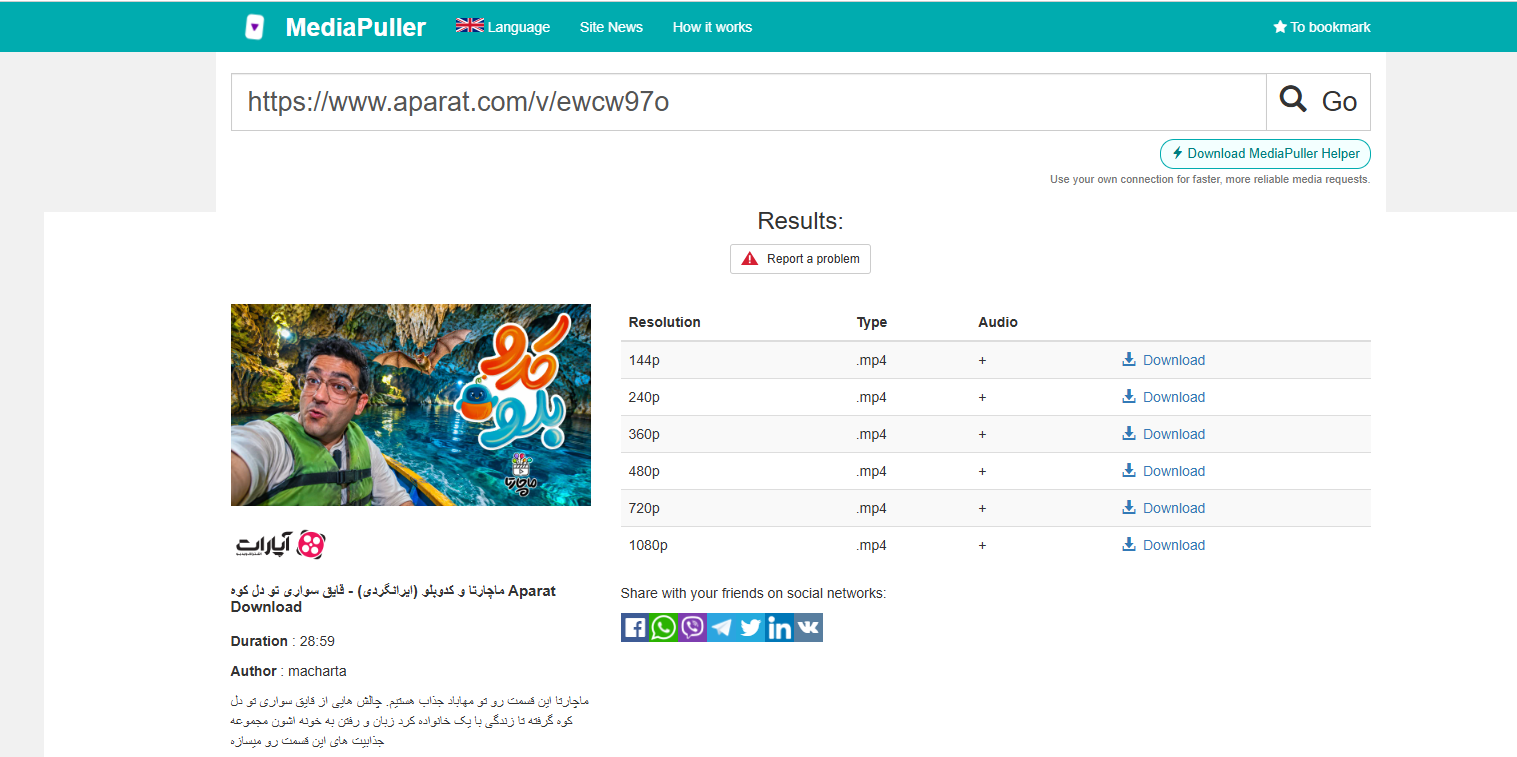
- Copy the desired Aparat video URL, then visit an online downloader website that supports Aparat, sych as MediaPuller.
- Paste the URL into the downloader, then click the download or processing button.
- Select an available format or quality and save the Aparat video on your device.
Pros:
- No desktop software installation required.
- Simple copy-and-paste downloading process.
- Accessible through compatible browsers.
- Convenient for downloading occasional individual videos.
- Can work across different operating systems and devices.
Cons:
- Support for Aparat may vary or stop working unexpectedly.
- Many services have limited batch downloading capabilities.
- Advertisements and redirects may affect the user experience.
- Available video quality and formats may be limited.
- Large videos may take longer to process.
- Privacy and security practices differ between services.
3. Best Aparat Video Downloader Extensions
Browser extensions offer another way to save online videos. Instead of copying and pasting URLs into an external website, these tools scan webpages for accessible video files or media streams.
Popular Choices include:
- Video DownloadHelper
- FetchV
- CocoCut
- Persian Download Manager (PDM)
How to Save Aparat Videos Using Browser Downloader Extensions:
- Install an extension like Video DownloadHelper from the official browser extension store.
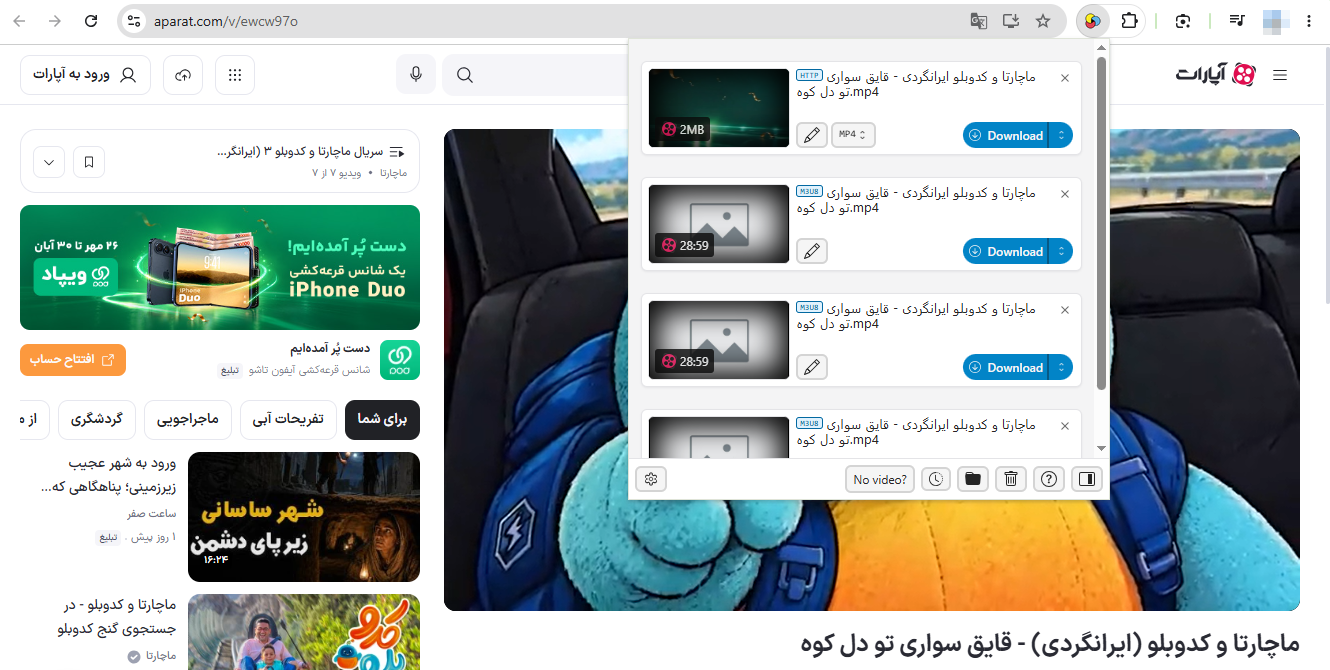
- Open an Aparat video page, play the video and click the extension icon to detect available media.
- Select a detected Aparat video and choose an available download option.
Pros:
- Convenient downloading directly from the browser.
- Can automatically detect accessible video resources.
- No need to copy and paste URLs into separate websites.
- Some extensions support streaming formats such as HLS and DASH.
- Useful for saving individual videos from compatible webpages.
Cons:
- Website compatibility is not guaranteed.
- Some extensions cannot process certain streaming formats.
- DRM-protected or restricted videos may not be downloadable.
- Batch downloading options are often limited.
- Extensions may request browsing permissions that raise privacy concerns.
- Browser updates and website changes can affect functionality.
4. Conclusion
The right Aparat downloader depends on your downloading habits, the number of videos you want to save, and the features you need. Online downloaders are convenient for occasional downloads, while browser extensions provide quick access to supported media directly from webpages. However, both options may have compatibility issues, limited batch features, or other restrictions.
For users who need a more efficient bulk downloading solution, Meget is our recommended choice. With support for more than 10,000 websites, batch URL processing, high-quality video output, and multiple conversion formats, it provides a more flexible way to manage online video downloads. If you regularly save multiple Aparat videos for offline viewing, Meget is worth trying.
- How to Download BitChute Videos: 4 Easy Methods That Work
- Is SavePanda Worth It? A Detailed Review for 2026
- yt-dlp Download Audio Only Worst Audio? Fix It With These Solutions
- Do DRM Video Downloader Extensions Really Work? Try These Alternative Tools
- How to Fix 4K Video Downloader Error Code 152-18?
- Best Video Downloader CocoCut Alternatives That You Should Try
- How to Download BitChute Videos: 4 Easy Methods That Work
- Is SavePanda Worth It? A Detailed Review for 2026
- yt-dlp Download Audio Only Worst Audio? Fix It With These Solutions
- Do DRM Video Downloader Extensions Really Work? Try These Alternative Tools
- How to Fix 4K Video Downloader Error Code 152-18?
- Best Video Downloader CocoCut Alternatives That You Should Try