Do DRM Video Downloader Extensions Really Work? Try These Alternative Tools

Downloading online videos with a browser extension sounds simple: open a webpage, click a button, and save the video to your computer. However, things become more complicated when you encounter DRM-protected content. Even if an extension detects the video stream, it may fail to download the file or produce a video that cannot be played outside the original platform. These limitations often leave users searching for more reliable alternatives. So, do DRM video downloader extensions really work, and what can you do when they fail? In this article, we’ll explore how these extensions handle DRM-protected videos and introduce two alternative tools to save DRM videos.
1. Do DRM Video Downloader Extensions Really Work?
The short answer is: sometimes, but not for every video.
Browser extensions are convenient because they integrate directly into your browser. Many can detect video resources embedded in web pages and help users download compatible media files without installing a separate desktop application. However, their effectiveness depends on how the website delivers and protects its content.
1.1 They Work Better With Unprotected Videos
Many extensions can detect videos delivered through common formats and protocols, provided the website does not impose additional restrictions. They may support downloading individual videos, selecting available resolutions, or saving compatible media files for offline viewing.
For freely accessible videos without DRM, these extensions can be useful and easy to operate.
1.2 DRM Protection Creates Additional Barriers
DRM systems can encrypt video content and require authorized playback through a compatible player. The decryption process relies on protected components and license permissions.
A typical downloader extension may identify a video stream but cannot necessarily decrypt it or produce a playable file. Even if an extension advertises support for popular streaming websites, that does not guarantee it can download every title on those platforms.
1.3 Some Extensions Have Compatibility Limitations
A downloader might work on one website but fail on another. Changes to website structures, streaming protocols, browser security policies, and DRM implementations can affect its performance.
Common problems include:
- The extension cannot detect the video.
- The download produces an incomplete or unplayable file.
- Only audio or video is captured.
- The extension supports ordinary videos but not encrypted streams.
- A previously supported website stops working after an update.
1.4 Browser Extensions Cannot Guarantee DRM Removal
It is important to distinguish between downloading a video and bypassing its protection. An extension may save an accessible media file without removing DRM, but that does not mean it can create an unrestricted copy of protected streaming content.
2. Try These Tools to Download or Record DRM Videos
2.1 Best Recommended DRM Video Downloader — Meget
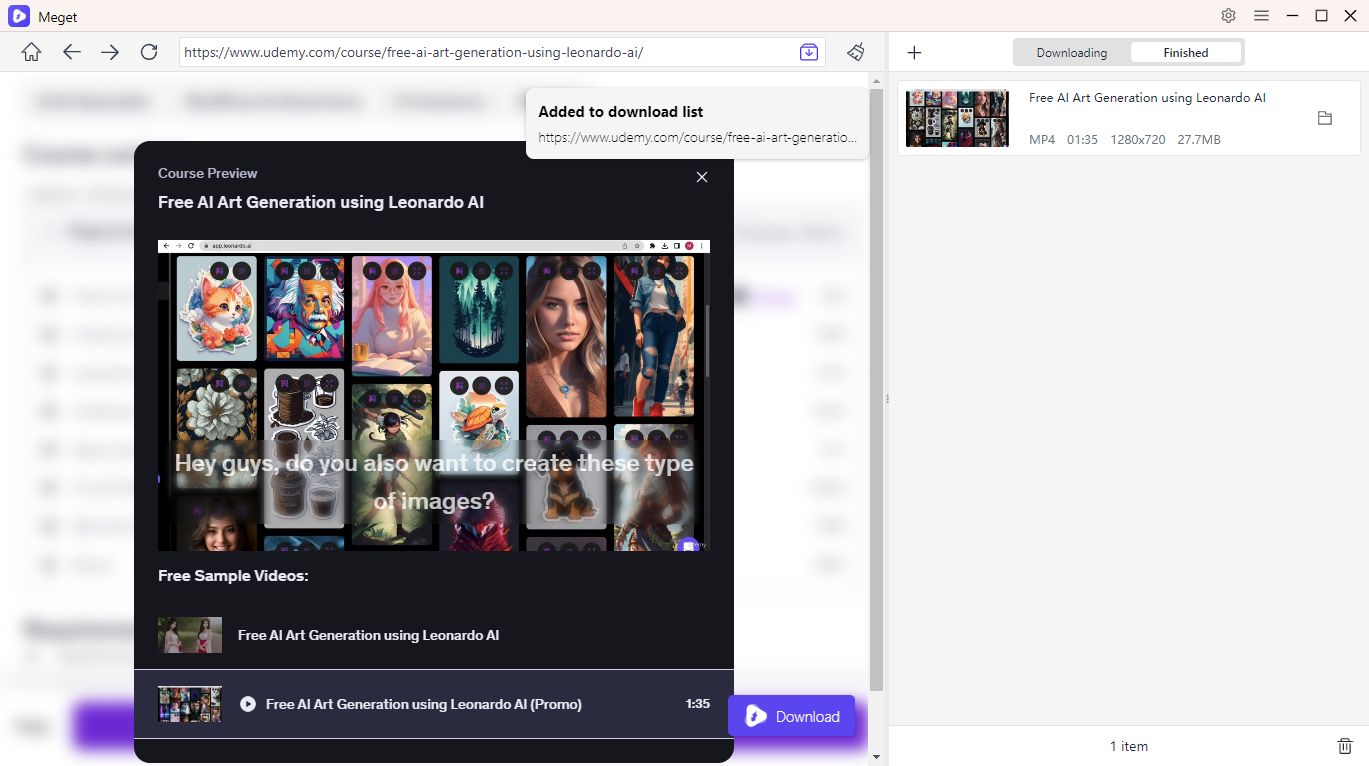
Meget is a desktop video downloader and converter designed to help users download online videos from supported websites. Compared with browser extensions, it provides a dedicated interface for managing video URLs, selecting available formats, and organizing downloaded files. For users looking for a more convenient way to save online videos, Meget is worth considering as an alternative to browser-based downloaders.
Key features of Meget:
- Download online videos (including DRM videos) from supported 10,000+ sites.
- Download multiple videos or playlists in one click.
- Choose available video resolutions, including HD and 4K where supported.
- Convert supported videos to MP4, MP3, and other available formats.
- Built-in browser to visit, detect and download embedded and DRM videos.
How to use Meget to download DRM videos:
- Download Meget from its official website and install it on your Windows or Mac computer.
- Use Meget’s built-in browser to open a website containing the DRM video you want to download, then start the playback.
- Select download format, resolution and more options, then click the download button.
- Locate the downloaded DRM video within the “Finished” tab, then open it to confirm that it plays correctly.
2.2 Record Videos Without a Black Screen With Swyshare Recordit
Screen recording offers another possible way to capture and download DRM video content. Instead of downloading the original video file directly, a screen recorder captures the content displayed on your screen and saves it as a recording. Swyshare Recordit is a desktop screen recording tool that can help users record on-screen videos, tutorials, presentations, and other content they are authorized to capture.
Key features of Recordit:
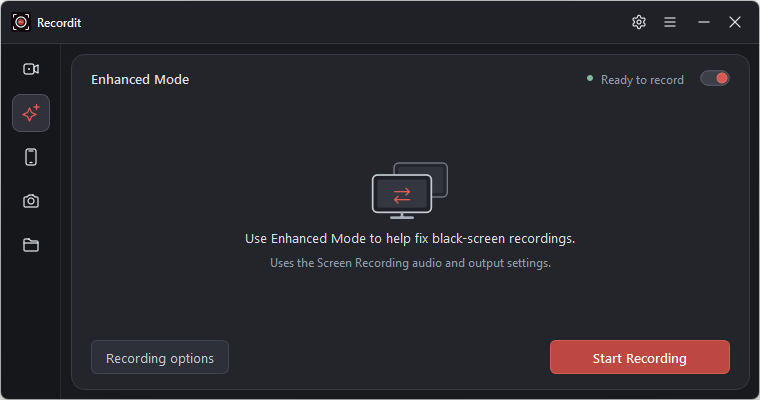
- Capture DRM-protected videos without a black screen using the enhanced mode on Windows.
- Record the full screen, a selected region, or a specific window.
- Capture system audio and microphone input.
- Save recordings in formats such as MP4, AVI, GIF, and MP3.
- Automatically start and stop recordings.
- Built-in video editor to trim recordings and customize video layouts.
How to record DRM videos with Recordit:
- Download and install Swyshare Recordit on your Windows computer.
- Open Settings and enable Enhanced Mode to help prevent black screens when recording supported DRM-protected videos.
- Choose the recording area and enable system audio if needed.
- Open the video you are authorized to record and start the recording.
- Stop recording and save the output in your preferred supported format.
3. Conclusion
Although DRM video downloader extensions are convenient, they often struggle with encrypted streams, resulting in failed downloads or unplayable files. Fortunately, alternatives like Meget and Swyshare Recordit offer other ways to save supported video content. Among them, Meget is our top recommendation for downloading online videos, thanks to its built-in browser, support for batch and playlist downloads, and flexible video quality and format options. If you’re looking for a more efficient alternative to browser extensions, give Meget a try and enjoy a simpler video downloading experience.
- How to Fix 4K Video Downloader Error Code 152-18?
- Best Video Downloader CocoCut Alternatives That You Should Try
- How to Download from Movies2Watch?
- GenYouTube Overview: A Complete Guide to Its Features and Usage
- Tuberipper Review: Is It Worth Using?
- How to Fix 4K Video Downloader Can't Find Valid Format?
- How to Fix 4K Video Downloader Error Code 152-18?
- Best Video Downloader CocoCut Alternatives That You Should Try
- How to Download from Movies2Watch?
- GenYouTube Overview: A Complete Guide to Its Features and Usage
- Tuberipper Review: Is It Worth Using?
- How to Fix 4K Video Downloader Can't Find Valid Format?