How to Download Filmzie Free Movies

Filmzie is a popular free streaming platform that offers a wide range of movies, documentaries, short films, and TV content without requiring a paid subscription. Unlike premium services such as Netflix or Disney+, Filmzie uses an ad-supported model, allowing viewers to access hundreds of titles completely free. The platform is particularly known for its collection of independent films, hidden gems, and award-winning productions from around the world.
While streaming movies online is convenient, many users prefer to save Filmzie movies for offline viewing. In this guide, we’ll explore several methods to download Filmzie free movies, so that you can watch them without an internet connection.
1. Screen Record Filmzie Movies on Mobile Devices
One of the simplest ways to save a Filmzie movie is by using the built-in screen recording feature available on most modern smartphones.
For iPhone Users
Apple devices come with a built-in screen recording feature that allows users to capture on-screen activity.
Steps:
- Launch the Filmzie app or website and open the movie you want to save.
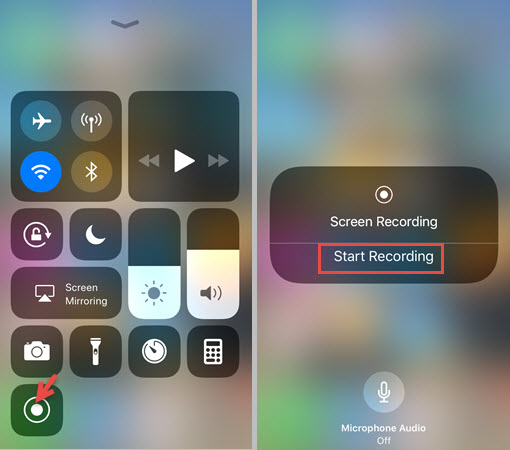
- Open Control Center by swiping down from the top-right corner, tap Screen Recording and wait for the countdown and start playback.
- When the movie finishes, stop the recording and the video will be saved to the Photos app.
For Android Users
Most Android devices include a built-in screen recorder.
Steps:
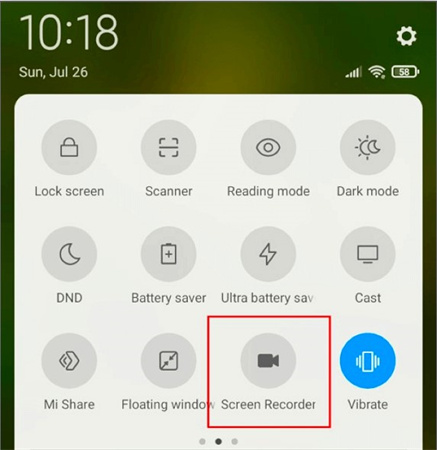
- Swipe down to open Quick Settings.
- Tap Screen Recorder and select recording preferences.
- Open Filmzie and play the movie.
- Stop recording when finished, then access the recorded video in your gallery.
Pros:
- No additional software required.
- Easy to use.
- Works on most mobile devices.
Cons:
- Requires recording in real time.
- Consumes storage space.
- Video quality may be lower than the original.
- Some movies may be protected by DRM technology.
2. Screen Record Filmzie Movies Using Desktop Recording Software
Using desktop recording software allows for higher-quality captures and more control over recording settings.
Popular Options:
- OBS Studio: A free and open-source screen recorder available for Windows, macOS, and Linux.
- Swyshare Recordit: An easy-to-use screen recorder that supports high-quality video capture for Windows and macOS.
- QuickTime Player: macOS’s built-in screen recording feature.
Steps:
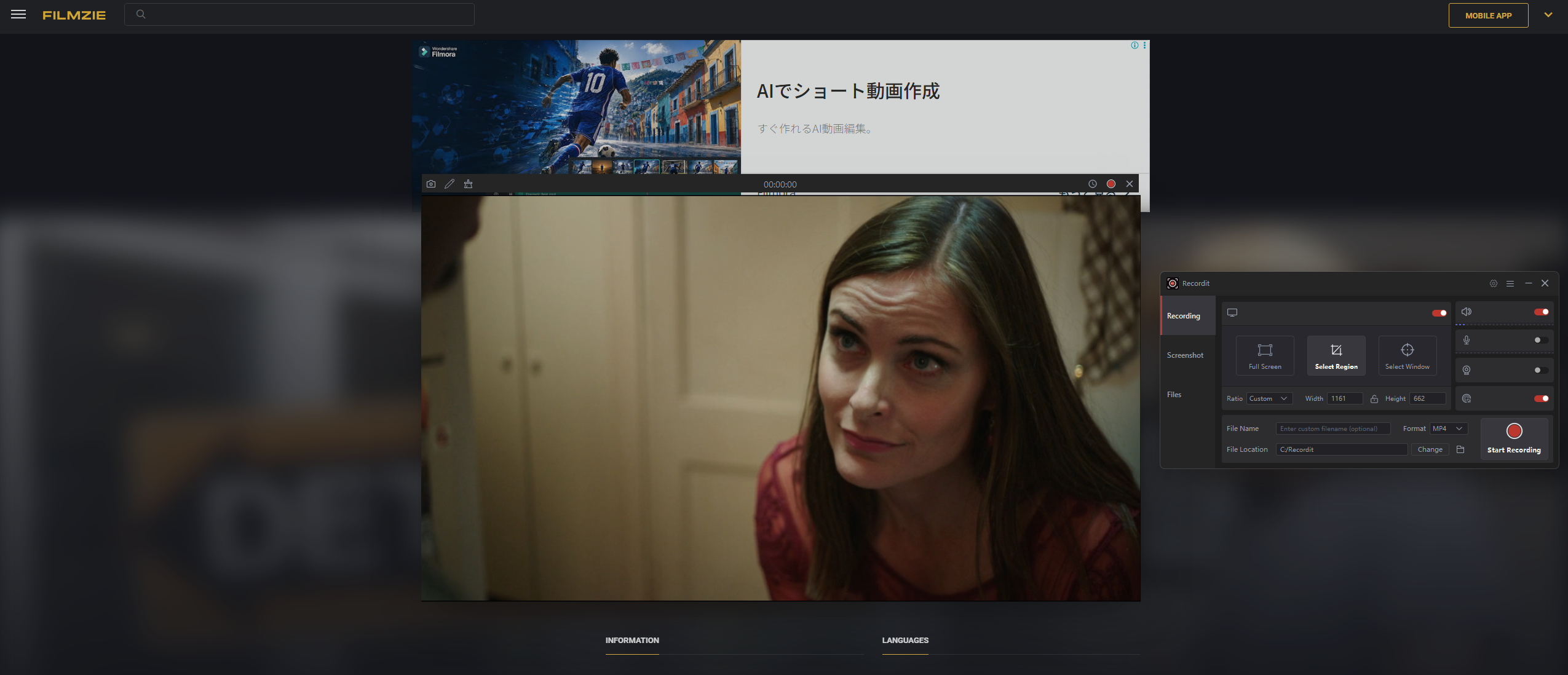
- Install and open a video screening tool like Recordit.
- Play the Filmzie movie in your browser, then use Recordit to define the screen area and customize the recording settings before starting.
- Start recording and play the movie.
- Save the recorded video after completion.
Pros:
- Better recording quality.
- More control over output settings.
- Suitable for large screens.
Cons:
- Time-consuming.
- Large file sizes.
- May not work with DRM-protected content.
3. Download Filmzie Movies with Browser Extensions
Some browser extensions can detect and download streaming media files directly from webpages.
Popular Options:
- VeeVee: A widely used browser add-on for detecting and saving online videos.
- FetchV: Another useful browser add-on for identifying and downloading streaming videos.
Steps:
- Install a video downloader browser extension like VeeVee.
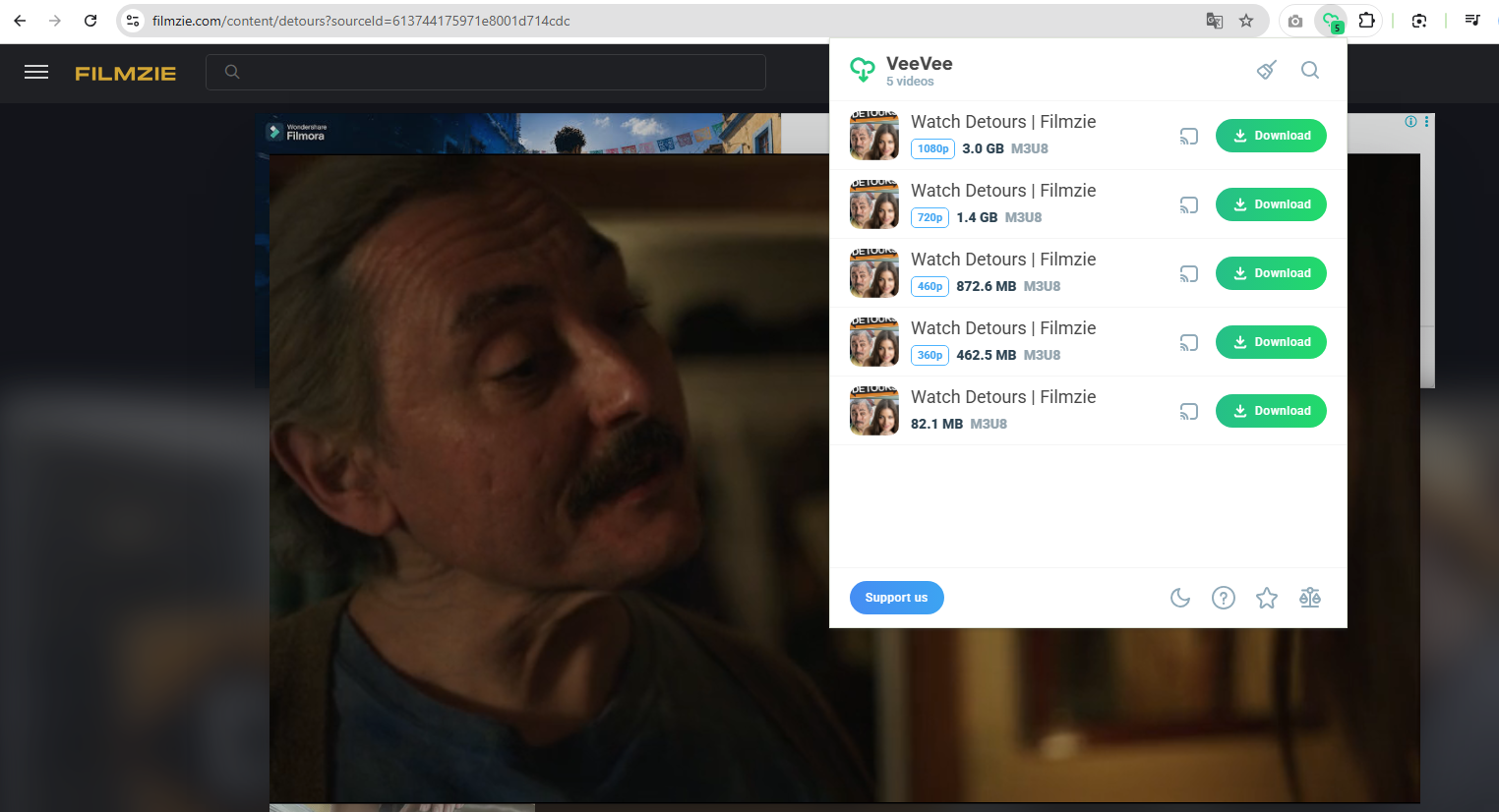
- Open Filmzie in your browser and play the movie, then click the VeeVee icon.
- Wait for available video streams to appear, then select the preferred quality and download the video.
4. Advanced Bulk Download Filmzie Movies with Meget
If you frequently download movies from streaming platforms, an advanced video downloader like Meget can significantly simplify the process.
Meget is a professional video downloader designed to save videos from numerous streaming websites. Unlike screen recorders, Meget can analyze video streams and download them directly, allowing users to save content faster and often in higher quality.
Key Features of Meget:
- Download movies in the highest available quality, including 4K.
- Batch download multiple videos simultaneously.
- Built-in browser for accessing streaming websites.
- Convert videos to MP4, MKV, and other formats.
How to Download Filmzie Movies with Meget:
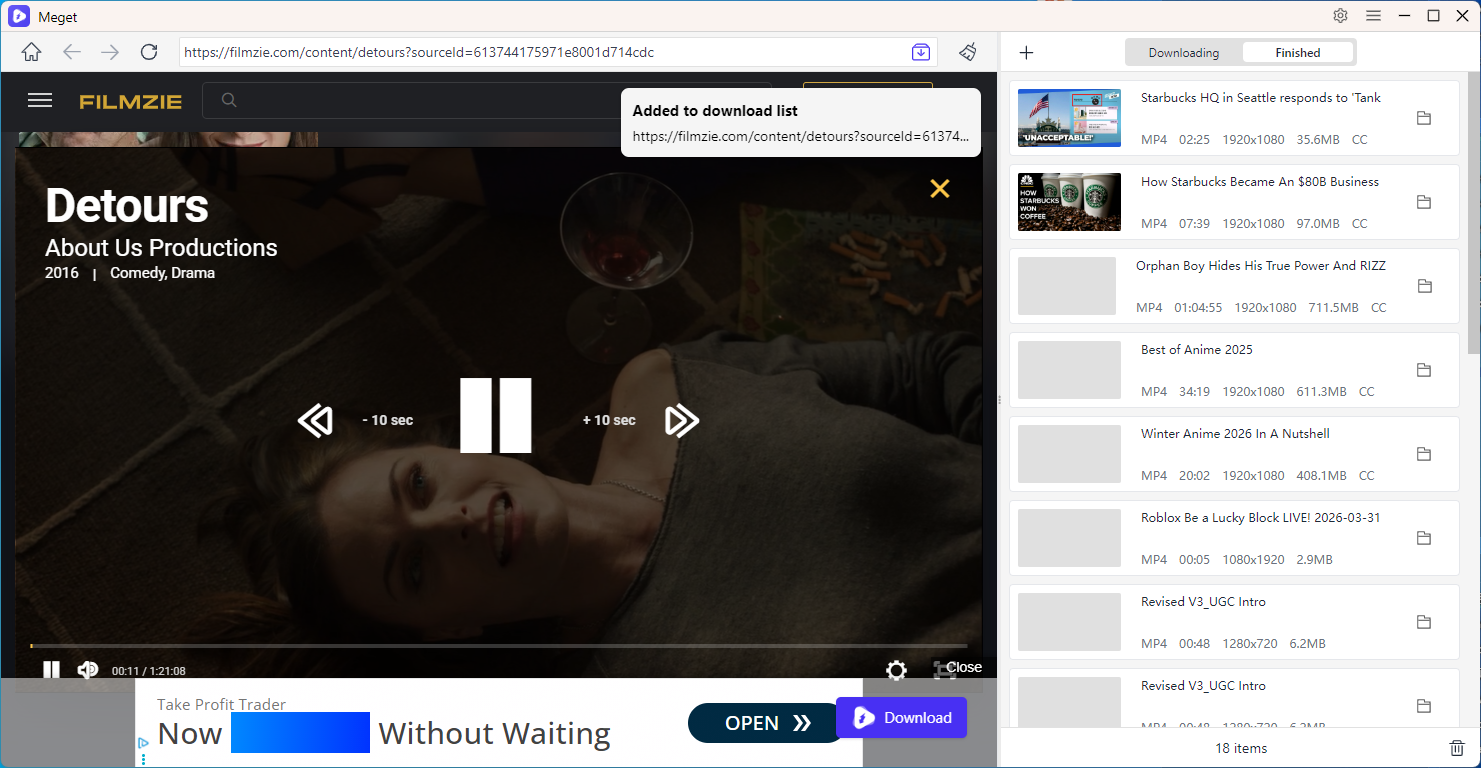
- Install and launch Meget on your computer.
- Open the built-in browser and navigate to Filmzie, locate the movie you want to download.
- Start playback so Meget can detect the video stream.
- Select the desired video quality and output format, then click the download button.
- Repeat the process to queue multiple movies for batch downloading.
5. Conclusion
Filmzie offers a fantastic library of free movies and independent films that can be enjoyed without a subscription. While the platform is primarily designed for streaming, there are several ways to save movies for offline viewing. Mobile screen recording and desktop recording software provide straightforward solutions, while browser extensions may allow direct downloads when supported.
However, for users looking for the fastest, highest-quality, and most reliable downloading experience, Meget stands out as the best option. Its ability to batch download multiple movies, support high-resolution formats, manage downloads efficiently, and convert files into popular formats makes it a superior choice compared to traditional recording methods. If you regularly watch Filmzie movies offline, Meget is the recommended solution for saving your favorite films quickly and conveniently.
- How to Download from Movies2Watch?
- GenYouTube Overview: A Complete Guide to Its Features and Usage
- Tuberipper Review: Is It Worth Using?
- How to Fix 4K Video Downloader Can't Find Valid Format?
- How to Fix 4K Downloader Only Doing 10 Seconds?
- The Ultimate List of the Best XDownloaders to Download X Videos
- How to Use SaveFree to Download Instagram Videos and Photos?