Open Video Downloader Tutorial: How to Download Videos Step by Step

Downloading online videos is a convenient way to save tutorials, educational content, and other videos for offline viewing. However, choosing the right downloader can make a big difference, especially if you frequently download videos from different websites or need to save multiple files at once.
Open Video Downloader is a free, open-source desktop application that provides a graphical interface for downloading online videos. But is Open Video Downloader the best option for everyone? In this guide, we’ll introduce its main features, explain how to use it step by step, and discuss some common problems you may encounter.
1. What Is Open Video Downloader?
Open Video Downloader is a free, open-source video downloading application that uses yt-dlp as its downloading engine. It provides a user-friendly graphical interface for accessing yt-dlp’s downloading capabilities without requiring users to enter commands manually.
The application supports numerous video websites and allows users to download individual videos, playlists, and other available media content.
Main Features of Open Video Downloader:
- Wide Website Support: Uses yt-dlp to support video downloads from thousands of websites.
- Video and Audio Downloads: Allows users to download available video and audio streams.
- Playlist Support: Makes it possible to download supported playlists instead of saving videos individually.
- Quality Selection: Provides options to choose from available video resolutions and formats.
- Subtitle Downloads: Supports downloading available subtitles alongside video content.
- Cross-Platform Compatibility: Offers desktop versions for Windows, macOS, and Linux.
- Open-Source and Free: Provides a free downloading solution with publicly accessible source code.
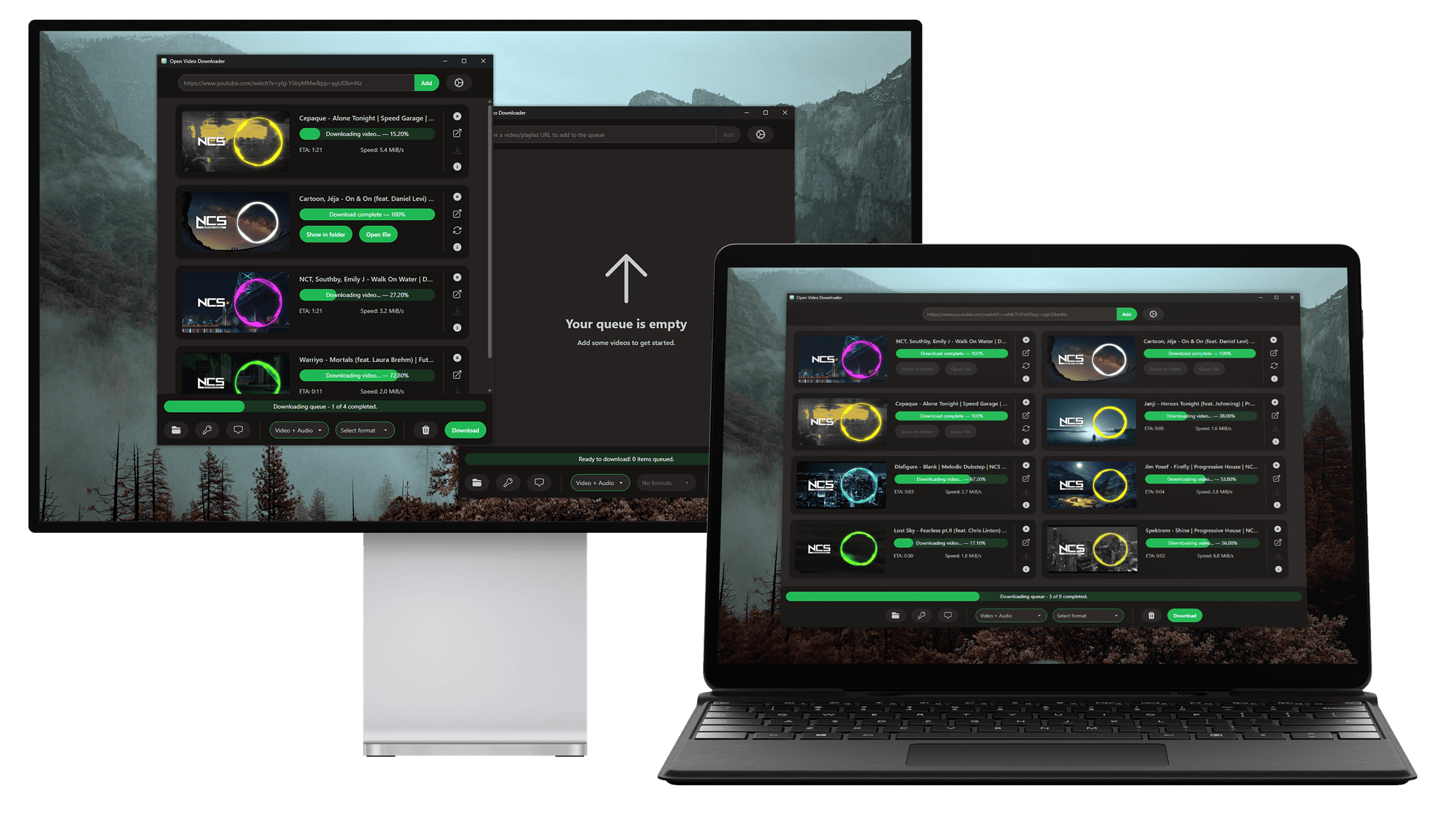
2. How to Use Open Video Downloader
Open Video Downloader makes downloading videos relatively simple. Once you have installed the application, you can follow these steps to save supported online videos to your computer.
Steps using Open Video Downloader:
- Visit its official GitHub Releases page, download the version for your operating system, and complete the installation.
- Open the video you want to save and copy its URL from your browser’s address bar, then launch Open Video Downloader, paste the copied link into the URL field, and let the application analyze it.
- Select your preferred video quality and format. Configure other available options, such as subtitles and output folder.
- Click the download button and wait for the application to finish processing the video.
- Open the selected output folder to find and watch your downloaded video offline.
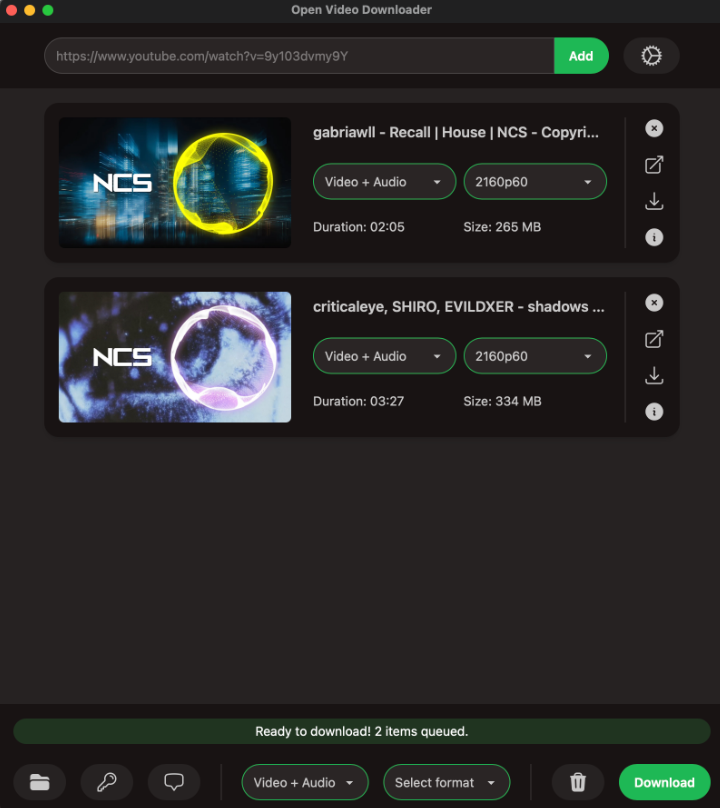
3. Common Problems When Using Open Video Downloader
Although Open Video Downloader is relatively easy to operate, users may occasionally encounter downloading errors or compatibility issues. Here are some common problems and possible solutions.
- Unsupported Video Websites: Some websites may not work because of platform restrictions or changes to their video systems. Check whether the website is supported by the latest yt-dlp version.
- Download Failures: Interrupted internet connections, unavailable videos, or temporary server problems can cause downloads to fail. Check your connection and try again.
- Outdated yt-dlp Components: Video platforms frequently update their systems. Updating Open Video Downloader and its downloading components may help restore compatibility.
- Limited Format Availability: Not every video provides the same resolutions or formats. The available download options depend on the original source.
- Slow Download Speeds: Network conditions, server limitations, and large video files can affect downloading performance.
- Playlist Download Issues: Some playlists may contain unavailable, private, or restricted videos, preventing the application from downloading every item.
While these problems can sometimes be resolved through updates or troubleshooting, they may interrupt your downloading workflow.
4. Try the Ultimate Video Downloader & Converter – Meget
If you’re looking for a more comprehensive solution for downloading and converting online videos, Meget is worth considering. Unlike a basic desktop downloader, Meget combines video downloading, batch processing, and media conversion in one application.
Main Features of Meget:
- Supports 10,000+ popular video-sharing and social media platforms.
- Save videos in resolutions up to 8K when the original source provides them.
- Download multiple videos, entire playlists, and other supported media files simultaneously.
- Convert downloaded content into popular formats, including MP4 and MP3.
- Configure output formats, video quality, subtitles, and download locations.
- Browse supported websites and detect available media directly within the application.
- Available for Windows, Mac and Android devices.
How to Download Videos with Meget:
- Click the button below to download the appropriate version of Meget, and install it on your device.
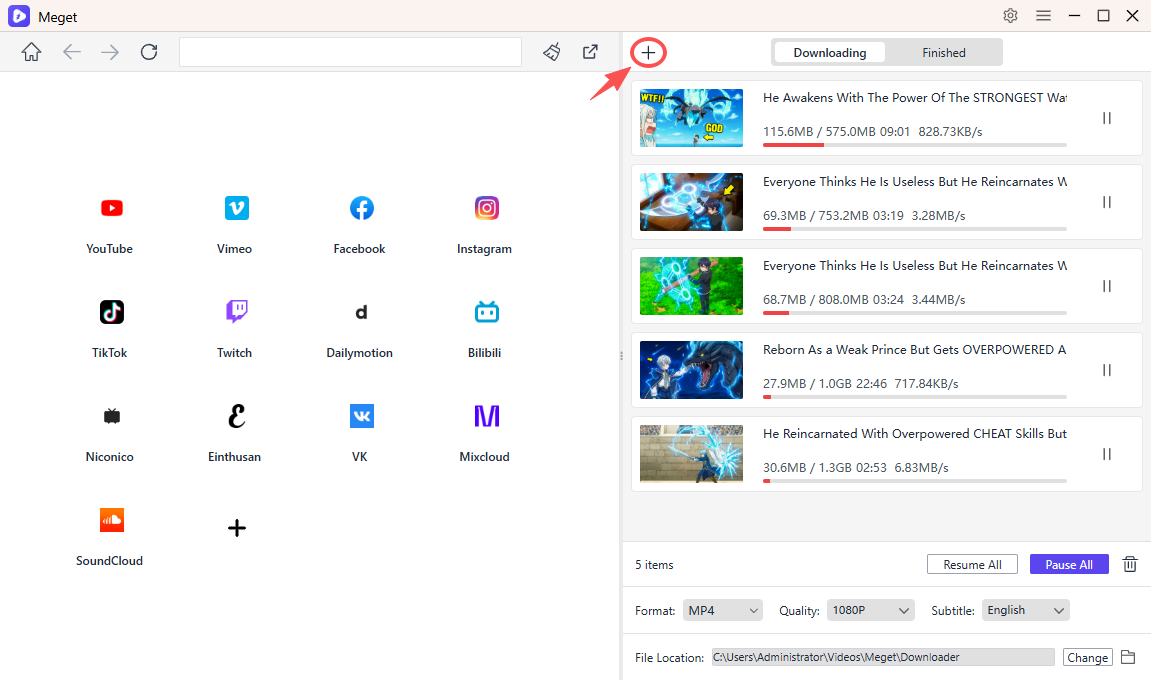
- Open Meget’s built-in browser to find your desired video, or copy its URL from another browser.
- Click “Paste URL(s) to Download” and add one or multiple video links or playlist URLs.
- Select your preferred video resolution and output format, such as MP4 or MP3.
- Click the download button to begin and monitor the download progress.
- Go to the Finished section to find, play, and manage your downloaded videos and audio files.
5. Conclusion
Open Video Downloader is a useful free tool for downloading supported online videos through a simple graphical interface. Its integration with yt-dlp, playlist support, and customizable download options make it suitable for basic downloading needs. However, occasional compatibility issues, troubleshooting requirements, and limited media management capabilities may affect the overall experience.
If you want a more powerful and convenient solution, Meget is our recommended choice. Supporting over 10,000 websites, high-quality downloads up to 8K, batch downloading, and MP4/MP3 conversion, it offers more flexibility for handling different types of online media. Its built-in browser and straightforward workflow also make finding and saving videos easier.
Whether you want to download individual videos, entire playlists, or audio files, Meget provides an all-in-one solution worth trying.
- Best TikTok Video Downloader Extensions for Chrome in 2026
- Aparat Downloaders: Best Tools to Download Aparat Videos in 2026
- How to Download BitChute Videos: 4 Easy Methods That Work
- Is SavePanda Worth It? A Detailed Review for 2026
- yt-dlp Download Audio Only Worst Audio? Fix It With These Solutions
- Do DRM Video Downloader Extensions Really Work? Try These Alternative Tools