The Ultimate List of the Best XDownloaders to Download X Videos

X, formerly known as Twitter, is filled with short clips, breaking news, sports highlights, memes, tutorials, entertainment, and other types of video content. While watching videos on X is easy, saving them for offline viewing can be less straightforward.
That’s where XDownloaders come in. These tools can help you save publicly accessible X videos to a computer or mobile device. In this guide, we’ll explore some popular X video downloaders in each category, explain how to use them, and compare their strengths and limitations.
1. Best Desktop XDownloader to Download X Videos – Meget
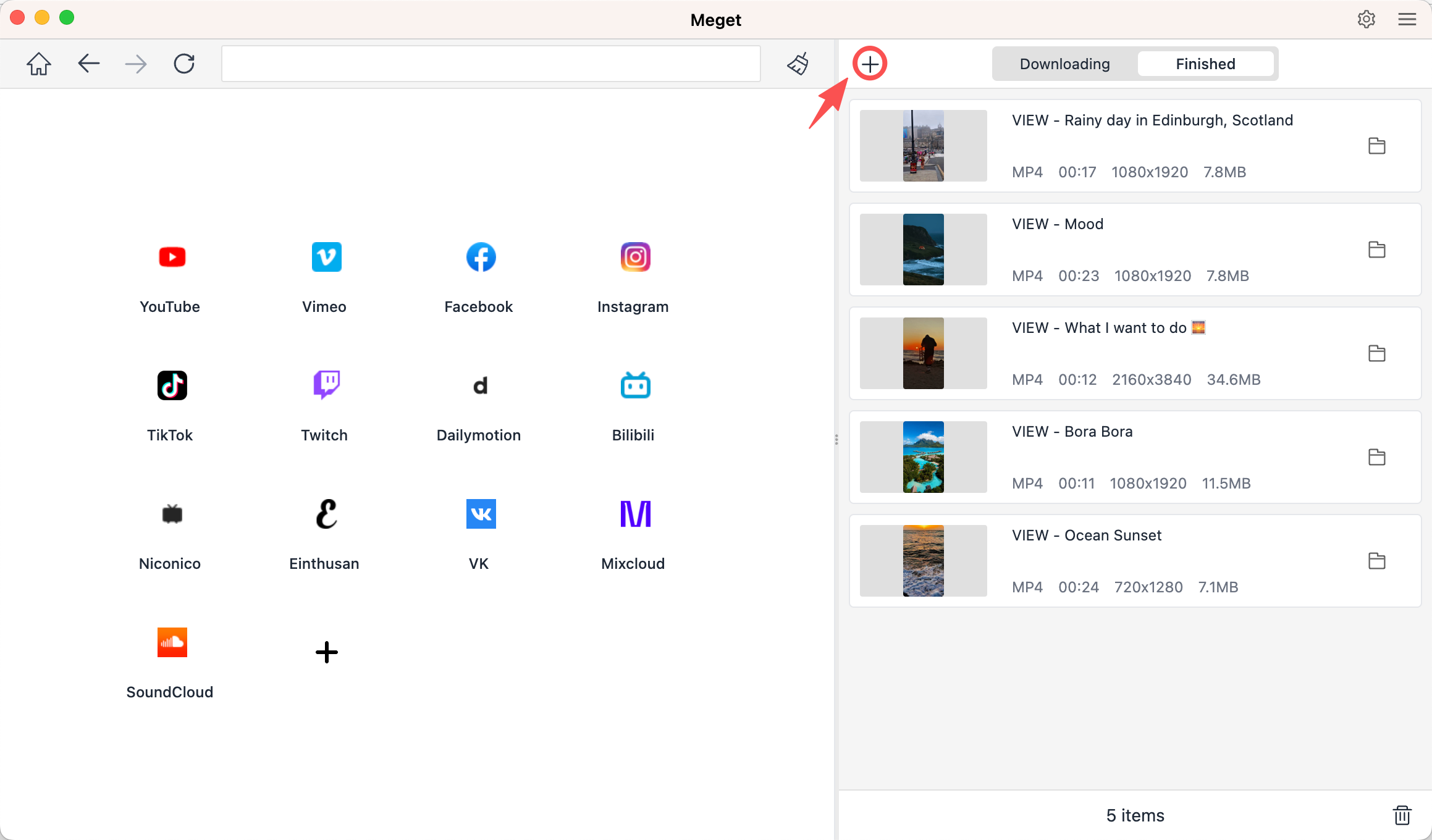
For users who download X videos regularly, dedicated desktop software can provide a more convenient experience than browser-based tools. Meget is a desktop video downloader and converter that supports X and various other popular websites.
Because it runs locally on your computer, Meget provides more download controls than many basic online services. It is particularly useful if you need to download multiple videos rather than processing URLs one at a time.
Key Features of Meget:
- Supports X video downloads.
- Works with multiple popular video websites.
- Suitable for downloading multiple videos efficiently.
- Offers different quality and format options.
- Available for Windows and Mac.
How to Download X Videos with Meget:
- Install the Meget application on your Windows or Mac computer.
- Open Meget and configure your preferred output format, quality, and save location.
- Open X, find the videos you want to download and copy their links.
- Return to Meget and click “+” to paste all the links, Meget will add all the videos to the download list and start downloading.
2. Best Online XDownloaders to Download X Videos
Online XDownloaders are a good choice when you don’t want to install software. You simply open a website in your browser, paste the X video URL, and download the available file.
Popular Choices:
- SSSTwitter.com
- X-Downloader.com
- SSSx.io
Steps:
- Open X and locate the post containing the video, then click Share and copy the post link.
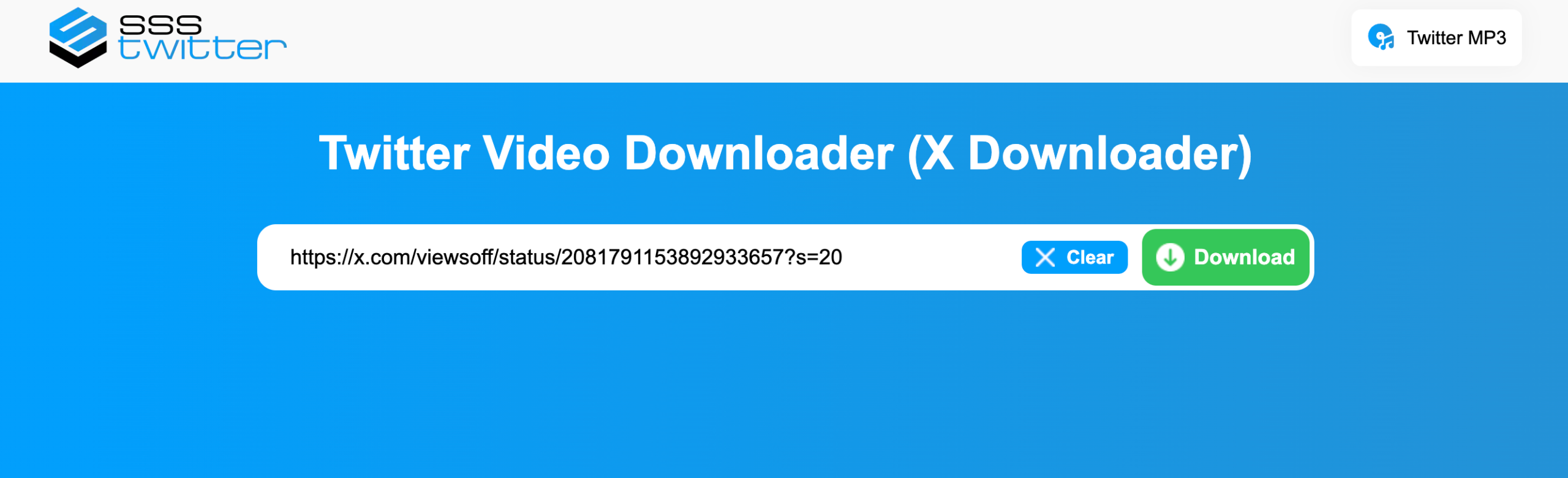
- Open an online XDownloader site like SSSTwitter nd paste the X URL into the input box.
- Click the download button, then select an available video quality and save the file.
Pros:
- No installation required.
- Simple URL-based workflow.
- Convenient for occasional downloads.
Cons:
- May contain advertisements.
- Available download quality can vary.
- Online services may occasionally stop supporting certain links.
3. Best XDownloader Extensions to Download X Videos
Browser extensions can make downloading more convenient by integrating the process directly into your browser. Instead of copying URLs to a separate website, an extension may detect media available on the current webpage.
Popular Choices:
- Media Harvest
- Video DownloadHelper
- Video Downloader – MPMux
Steps:
- Install trusted browser extension like Video DownloadHelper.
- Open X in your browser, navigate to the post containing the video, then play or load the video if necessary.
- Click the Video DownloadHelper extension icon to detect media files; Select the appropriate video and save it to your computer.

Pros:
- Easy and quick to use
- No extra software needed
- Works directly in the browser
- Convenient for occasional downloads
Cons:
- May have compatibility issues
- Limited advanced features
- Can stop working after browser or X updates
- Some extensions require broad permissions
4. Best XDownloader Mobile Apps to Download X Videos
If you mainly use X on your phone, a mobile downloader can be more convenient than transferring URLs to a computer.
Popular Choices:
- X Twitter Video Downloader
- VidJuice UniTube
Steps:
- Open the X app on your phone, find the post containing the video you want to save and copy the link.
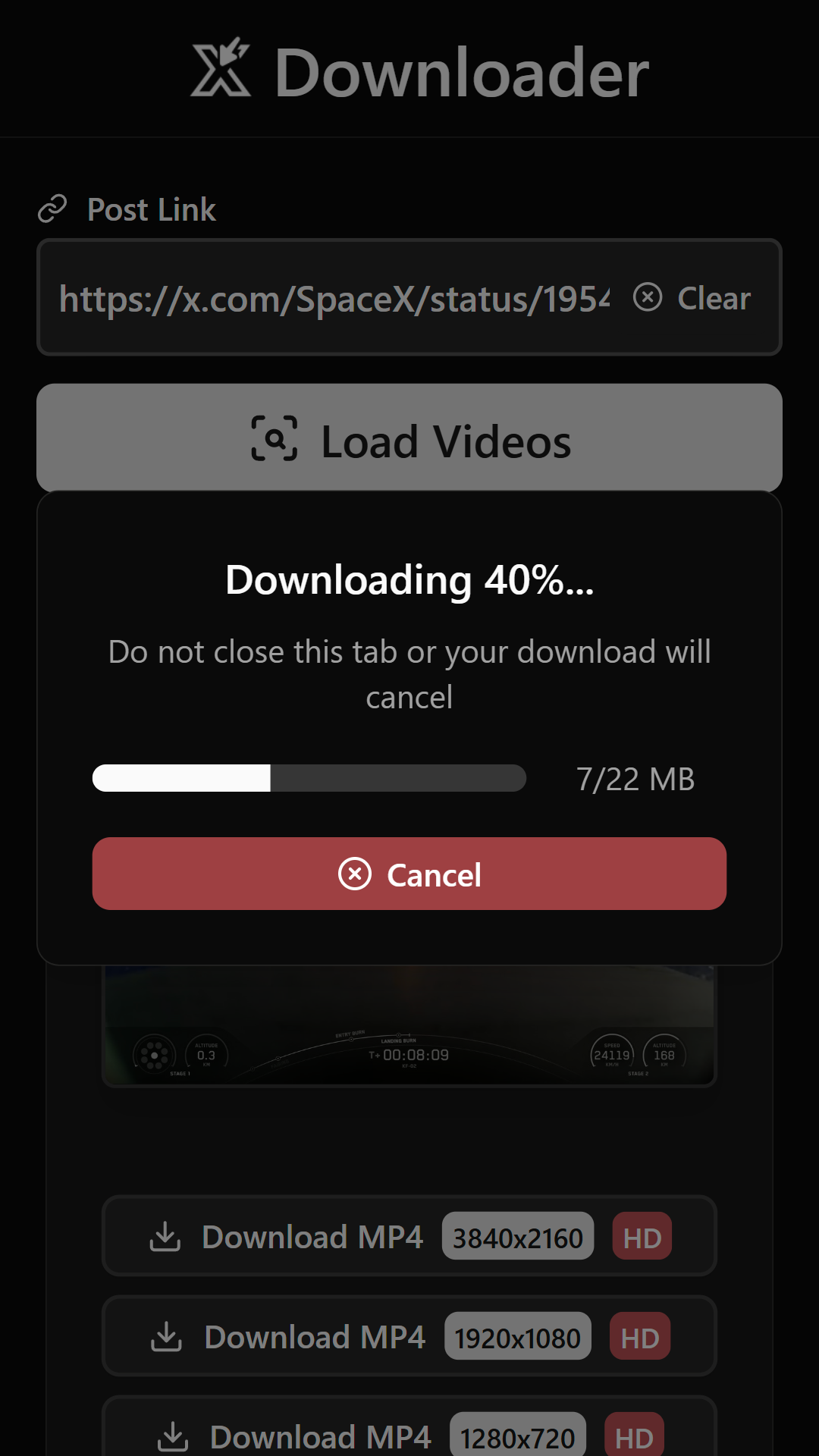
- Open X Twitter Video Downloader, paste the copied URL into the appropriate field and tap “Load Videos”.
- Choose the available video quality if prompted. Check your device’s downloads or gallery after the process finishes.
Pros:
- Easy to use on mobile
- Convenient for downloading videos on the go
- Supports direct saving to the device
- Some apps offer batch downloads and download management
Cons:
- Some apps request broad device permissions
- Compatibility can vary between devices
- Video detection may occasionally fail
5. Conclusion
There are plenty of ways to download X videos, from simple online services such as SSSTwitter and X-Downloader.com to browser extensions such as Media Harvest and Video DownloadHelper. Mobile users can also consider X Twitter Video Downloader when they want to save videos directly to their phones.
For users who download X videos regularly, however, Meget is our recommended choice. Its desktop workflow, batch downloading capabilities, format and quality options, and broader website support make it more versatile than many basic online tools or browser extensions.
If you want a dedicated solution for managing frequent X video downloads, Meget is a practical option worth trying.
- How to Fix 4K Video Downloader Error Code 152-18?
- Best Video Downloader CocoCut Alternatives That You Should Try
- How to Download from Movies2Watch?
- GenYouTube Overview: A Complete Guide to Its Features and Usage
- Tuberipper Review: Is It Worth Using?
- How to Fix 4K Video Downloader Can't Find Valid Format?
- How to Fix 4K Video Downloader Error Code 152-18?
- Best Video Downloader CocoCut Alternatives That You Should Try
- How to Download from Movies2Watch?
- GenYouTube Overview: A Complete Guide to Its Features and Usage
- Tuberipper Review: Is It Worth Using?
- How to Fix 4K Video Downloader Can't Find Valid Format?
- How to Fix 4K Downloader Only Doing 10 Seconds?