Can You Download Edpuzzle Videos?

Edpuzzle has become an essential tool for modern digital classrooms, allowing teachers to turn regular videos into interactive learning experiences. With features such as embedded questions, voice comments, and student progress tracking, Edpuzzle helps educators make online lessons more engaging and effective.
However, many users eventually ask the same question: Can you download Edpuzzle videos? Students may want to review lessons offline, teachers may need backup copies of their own educational materials, and educators may want to organize video resources for future classes.
This article explains what Edpuzzle is, whether Edpuzzle videos can be downloaded, and different methods for saving Edpuzzle videos.
1. What Is Edpuzzle?
Edpuzzle is an online learning platform that helps teachers turn videos into interactive lessons. Educators can add quizzes, comments, and voice notes to videos, making lessons more engaging and easier to understand.
Teachers can upload their own videos or customize existing content, while students can watch assigned lessons and complete embedded activities. Edpuzzle also allows teachers to track student progress and review responses.
Key features of Edpuzzle include:
- Interactive lessons: Add questions, notes, and explanations directly to videos.
- Progress tracking: Monitor student viewing activity and quiz results.
- Flexible teaching tools: Adapt videos for different subjects and learning levels.
- Classroom management: Organize assignments and educational resources in one place.
2. Can You Download Edpuzzle Videos?
Whether you can download an Edpuzzle video depends on your access rights and the options provided by the content owner.
Edpuzzle does not provide a universal download button for every video because many lessons contain copyrighted materials or videos uploaded by third-party creators. The platform is designed primarily for online viewing and interactive learning rather than unrestricted offline access.
However, downloading may be possible in several situations:
- You own the video: Teachers and creators who upload their own videos may download or back up their original files.
- The creator provides access: Some educators may allow students or colleagues to download lesson videos.
- You have permission to save the content: Schools or organizations may provide approved ways to store educational resources.
Before downloading any Edpuzzle video, users should make sure they have the necessary rights or permission. Saving videos for personal study, classroom preparation, or backup purposes is different from redistributing copyrighted content.
If you have permission to save an Edpuzzle video, the following methods can help you manage your video resources.
3. How to Download Edpuzzle Videos?
Method 1: Use the Official Download Option
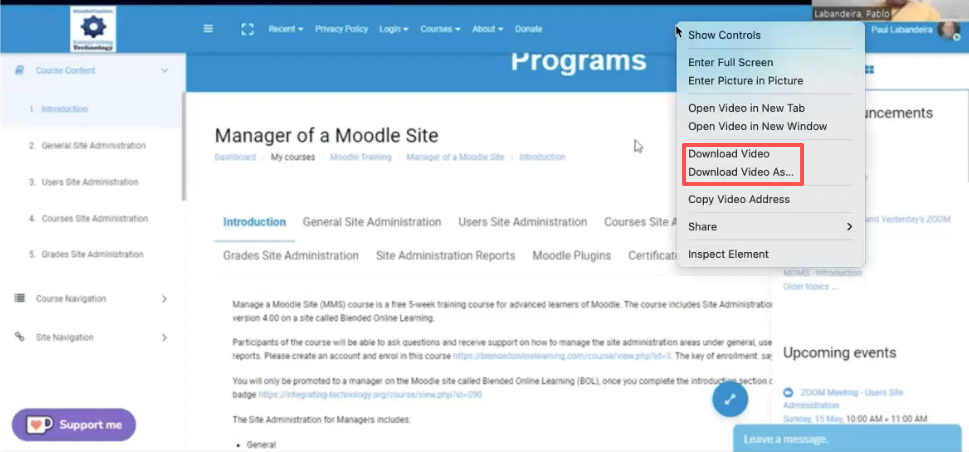
The safest and simplest way to download an Edpuzzle video is to use any official download feature provided by the platform or content owner.
Some videos may have downloadable versions available if the teacher, school, or creator has enabled access. If a download button is visible, users can save the video directly without using additional tools.
Method 2: Record Edpuzzle Videos
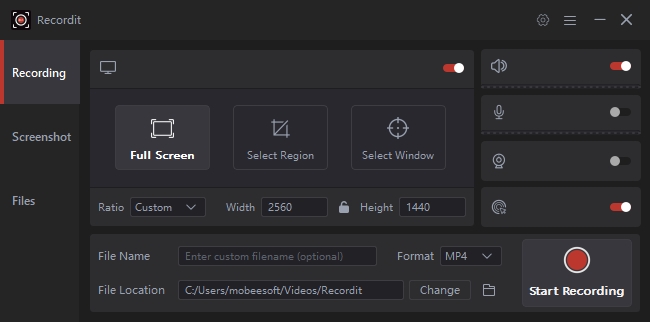
Another way to save an Edpuzzle lesson is by using screen recording software. Screen recording captures the video while it plays on your screen and saves it as a local file.
This method can be useful when:
- There is no direct download option available.
- You need to create a personal backup of authorized content.
- You want to save a demonstration or lesson presentation.
Most computers include built-in screen recording tools, and many third-party recording applications like Swyshare Recordit provide additional features such as microphone recording, video quality settings, and editing options.
Method 3: Use Video Downloader Extensions
Browser extensions like Video DownloadHelper designed for video downloading can provide another option for saving online videos when downloads are permitted.
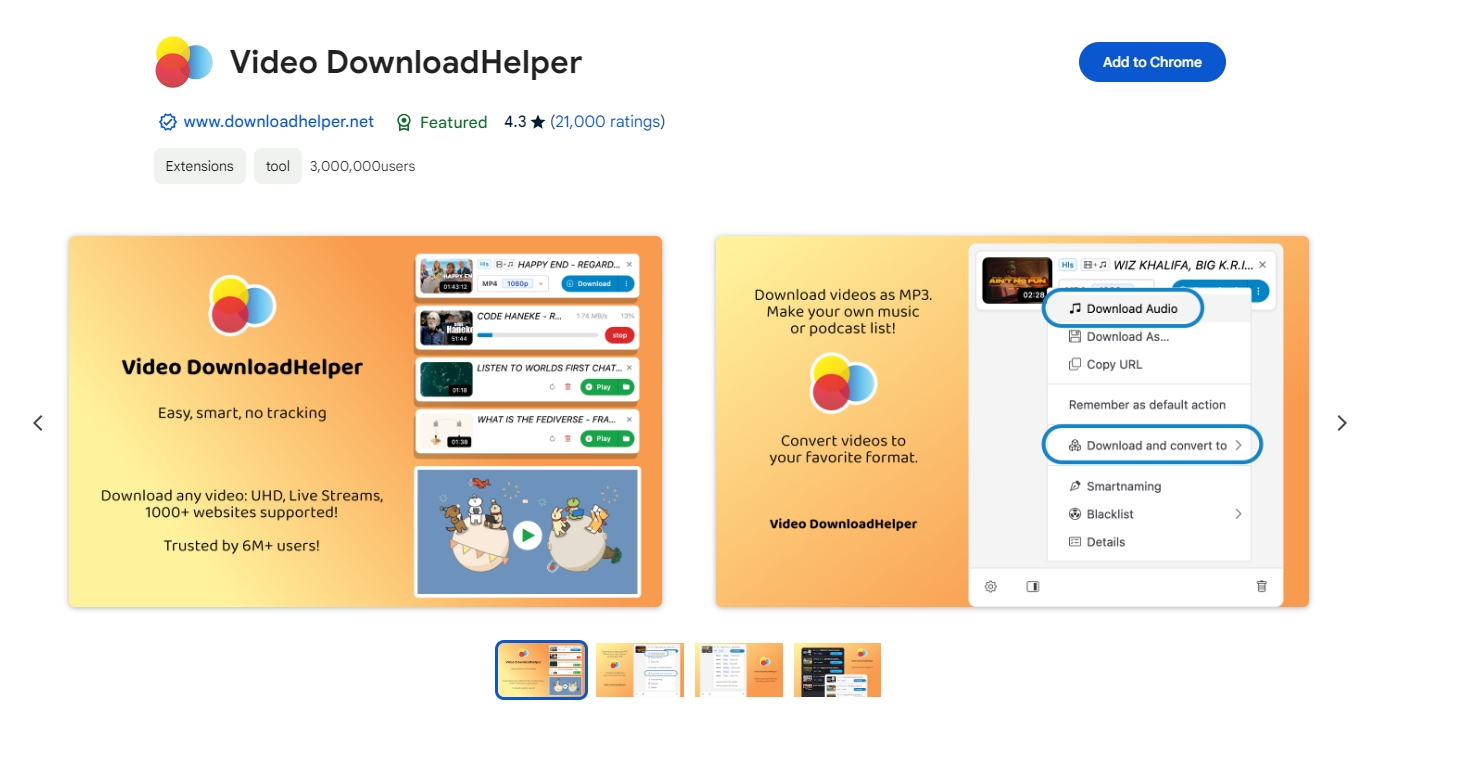
These extensions usually work by detecting available media files on a webpage and allowing users to save supported video formats. They are often convenient because they work directly inside the browser.
However, browser extensions also have limitations. Some websites use advanced video delivery systems that prevent extensions from detecting files. Extensions may also vary in reliability, security, and compatibility.
4. Advanced Bulk Download Edpuzzle Videos with Meget
For users who need to manage multiple authorized Edpuzzle videos, Meget provides a convenient way to simplify the downloading process. Instead of saving videos one by one, Meget helps users handle multiple video files more efficiently, making it useful for teachers, educators, and content creators who need to organize their own video resources.
Main Features of Meget:
- Support 10,000+ video platforms, including Edpuzzle.
- Download multiple videos in original quality.
- Built-in browser to access embedded and subscribed videos.
- Save videos in popular MP4/MKV and more formats.
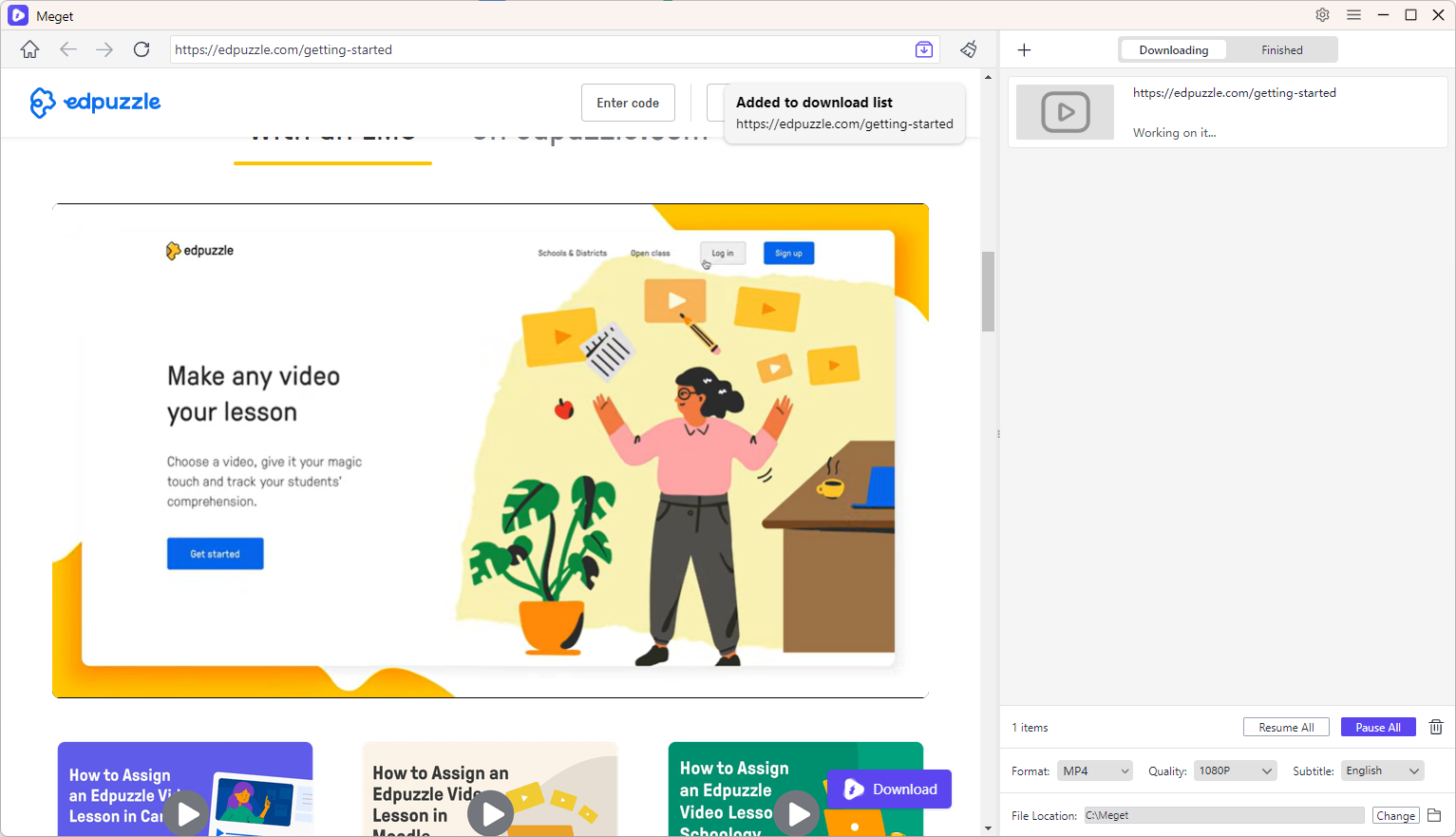
How to Bulk Download Edpuzzle Videos with Meget:
- Install and launch Meget on your computer, then choose your preferred download settings, such as video format and quality, from the main interface.
- Open Edpuzzle video pages using Meget’s built-in browser, play the video, and add it to the download list with one click.
- Repeat the steps for other videos, then start the batch download process to save them efficiently.
5. Conclusion
Edpuzzle is a valuable educational platform that helps teachers create interactive and engaging lessons. While not every Edpuzzle video can be downloaded directly, users may have several options depending on their permissions, including official download features, screen recording, and video downloader extensions.
For anyone managing a large collection of authorized Edpuzzle videos or other online educational resources, Meget offers a more efficient solution. With features such as bulk downloading, streamlined management, and a convenient workflow, Meget helps teachers, creators, and researchers save time when organizing their video libraries.
If you need a reliable way to manage multiple video downloads while keeping your educational resources organized, Meget is a powerful tool worth considering.
- Do DRM Video Downloader Extensions Really Work? Try These Alternative Tools
- How to Fix 4K Video Downloader Error Code 152-18?
- Best Video Downloader CocoCut Alternatives That You Should Try
- How to Download from Movies2Watch?
- GenYouTube Overview: A Complete Guide to Its Features and Usage
- Tuberipper Review: Is It Worth Using?
- Do DRM Video Downloader Extensions Really Work? Try These Alternative Tools
- How to Fix 4K Video Downloader Error Code 152-18?
- Best Video Downloader CocoCut Alternatives That You Should Try
- How to Download from Movies2Watch?
- GenYouTube Overview: A Complete Guide to Its Features and Usage
- Tuberipper Review: Is It Worth Using?
- How to Fix 4K Video Downloader Can't Find Valid Format?